A small app with a lot inside.
Here's everything QuickMark does, grouped by what you're doing.
Works on Mac, iPhone and iPad unless it's marked, like this: Mac
Read
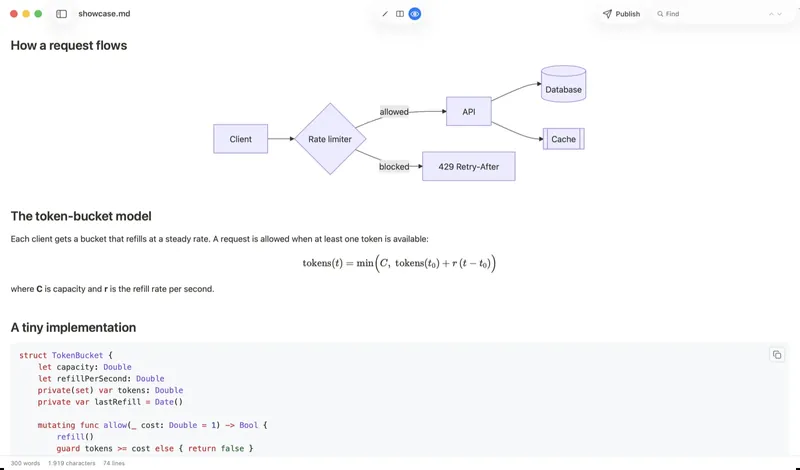
Open a .md and it's already rendered, the way GitHub shows it.
-
Press Space in Finder Mac
Select a Markdown file and press Space. It opens rendered right there, without launching an app.
-
Looks like GitHub
Tables, task lists, footnotes and strikethrough render the way GitHub renders them.
-
Code in 30+ languages
Syntax highlighting in any of 36 code themes, with a copy button on every block.
-
Diagrams from plain text
Mermaid flowcharts, sequence diagrams and charts, drawn right in the page.
-
Math
Inline and display equations, typeset with KaTeX.
-
Callouts
> [!NOTE],[!TIP]and[!WARNING]turn into tidy highlighted boxes. -
Images next to your file
Pictures beside the
.md, or in a folder above it, just show up. You allow the folder once. -
Wiki-style image embeds
![[photo.png]]shows the picture,|300widths included. -
Links to other files Mac
Click a link to another
.mdand it opens in a new tab. -
Front matter as a card
The YAML block at the top becomes a neat metadata card, or you can hide it.
-
A little HTML, safely
<details>,<kbd>and other everyday tags render. Scripts never run. -
Outline of headings Mac
Every heading in a sidebar. Fold a section, or click a heading to jump to it.
-
Find in page
Step through every match. On the Mac, case and accents are ignored, so “Café” finds “cafe”.
-
Live reload Mac
Edit the file in another app and QuickMark refreshes the moment you save.
Write
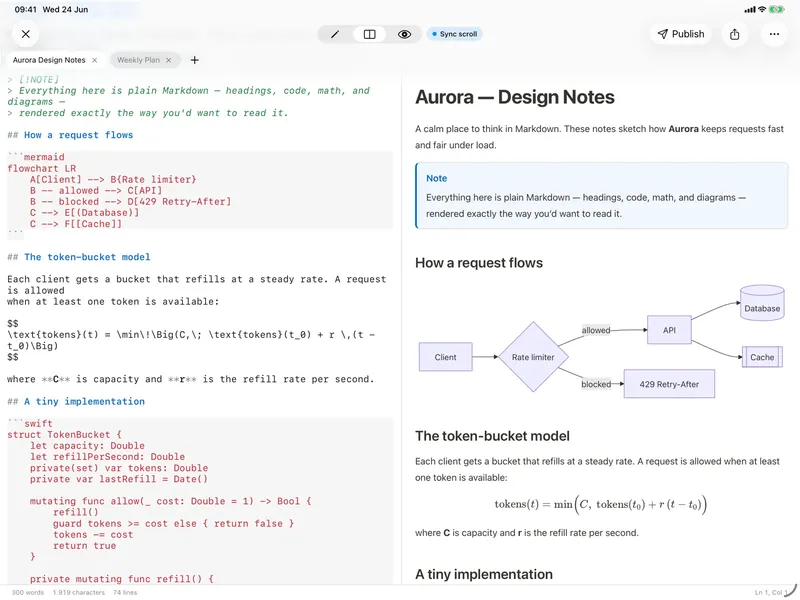
A plain editor with your preview right next to it.
-
Side by side Mac, iPad
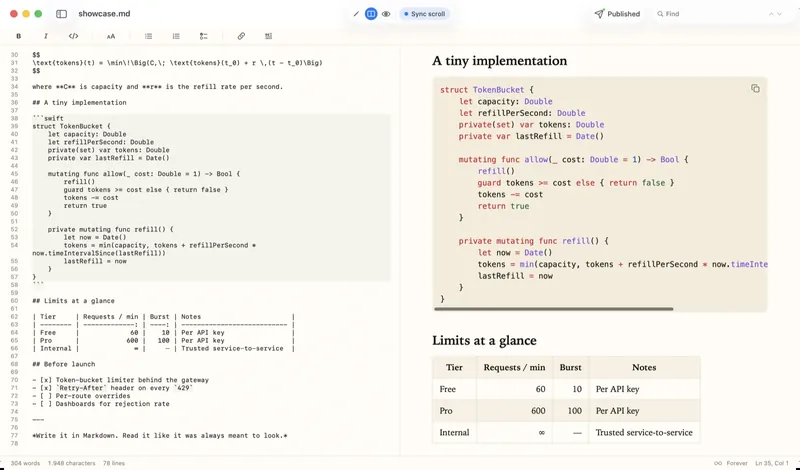
Editor on one side, preview on the other, scrolling together.
-
Write, then read iPhone
One button switches between the editor and the rendered page.
-
Highlighted source
Headings, emphasis, links and code are colored as you type, so the raw Markdown stays easy to read.
-
Formatting without the syntax
Bold, italic, links, lists and quotes from a shortcut or the format bar on the Mac, and from the bar above the keyboard on iPhone and iPad.
-
Start from a template
Five ready layouts: a daily note, meeting notes, a task list, a structured note and a project brief.
-
Counts as you write
Words, characters and lines under the editor on Mac and iPad, and in Get Info on iPhone. Select a passage to see its word count.
-
Page breaks
Put a page break in the text and printing starts a new page there. On the Mac, PDF export does too.
Organize
Your files stay where they are. QuickMark just opens them.
-
Tabs, as many as you like
Keep every open document a tab away, on every device.
-
More tab tricks Mac
Reorder and pin tabs, drag one to another window, or bring back the last one you closed with ⇧⌘T.
-
The whole folder in a sidebar Mac
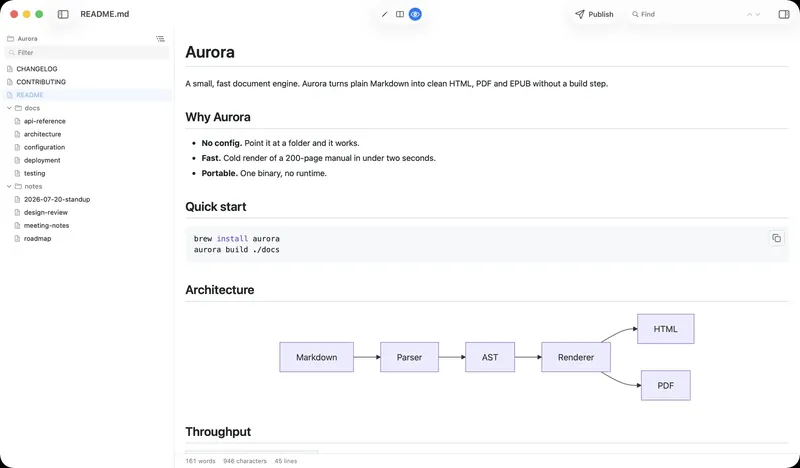
Every Markdown file next to the one you're reading, subfolders included, with a filter box.
-
Open a folder Mac
Press ⇧⌘O, or drop a folder on the window or the Dock icon. It opens on the README.
-
From Terminal Mac
qm notes.mdopens a file,qm ~/notesa folder, andqmthe folder you're in. Install it once from Settings. -
Recent files and favorites
Jump back to what you had open, or star the files you keep coming back to.
-
Get Info
Size, dates, word count, headings and reading time for the file you have open.
Share
For the people you work with who don't use Markdown.
-
Publish to the web
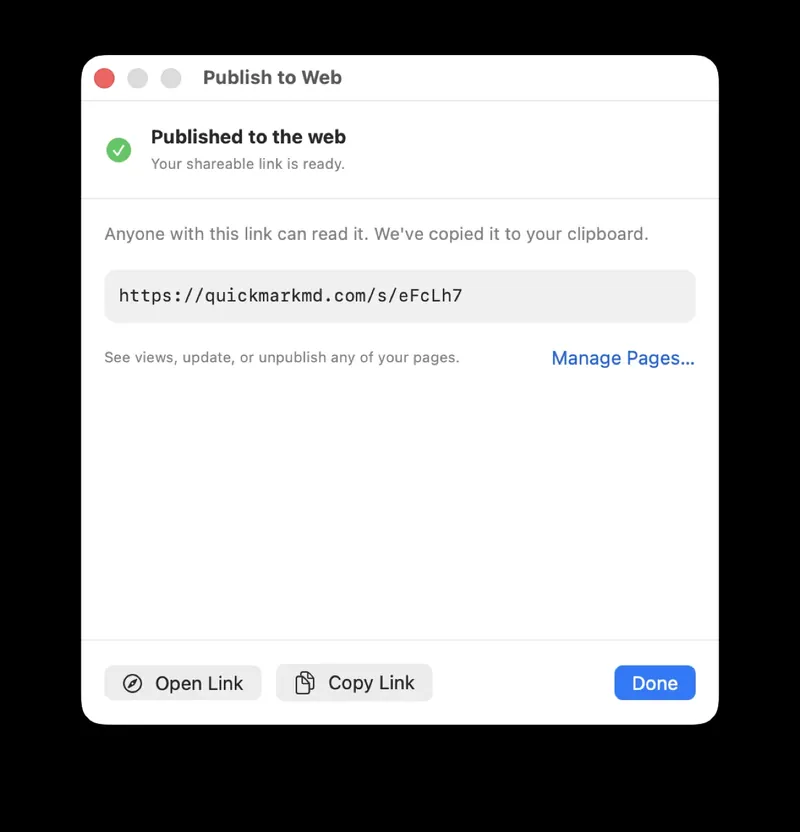
Turn a document into a clean page on quickmarkmd.com. Readers need no app and no account.
-
Same link, new version
After the first publish, your edits reach the page on their own. The link you already sent keeps working.
-
Export
PDF, HTML, Word, EPUB or PNG, ready to attach to an email or hand in.
-
Copy as rich text Mac
Paste formatted text straight into an email, a doc or a chat.
-
Print
Print a document, or save it as a PDF from the print dialog.
-
Save to QuickMark iPhone, iPad
Share selected text or a web link from any app and save it as a new
.mdwherever you like.
Make it yours
Read in the style you like, in light or dark.
-
Six reading themes
From a clean docs look to a warm serif for long reads and a green-on-black terminal.
-
36 code themes
Pick the colors for code blocks separately from the reading theme.
-
Light, dark or automatic
Follow the system, or pin one. Switching is instant.
-
Text size
Zoom the preview on the Mac, and set the editor's font size on any device.
Privacy
Nothing to sign up for. Your documents stay on your device.
-
No account needed
Everything works without signing in. An account is optional and only keeps your published pages in step across devices.
-
Works offline
Reading, writing and exporting need no connection. Only publishing does.
-
Your documents stay yours
A document leaves your device only when you publish it. Besides that, QuickMark sends anonymous crash reports and usage counts. The privacy policy has the details.
On the web
Two free tools on quickmarkmd.com, for any computer.
Try it on your own files.
Download QuickMark and open the next .md you come across.
Mac · iPhone · iPad