The Best Markdown Apps for Mac in 2026, Compared Honestly
Short answer: there is no single best Markdown app for Mac, because the good ones are built for different jobs. Obsidian if you want a linked knowledge base. Typora if you want markup to disappear as you type, or you also work on Windows or Linux. iA Writer for focused long-form writing. Marked if you already love your editor and only need a preview beside it. MarkEdit if you want a tiny, open-source editor. VS Code if you are a developer and it is already open. QuickMark if you want any .md file to open and render like a PDF, including with Space in Finder, and the same app on your iPhone and iPad.
Disclosure: I make QuickMark, so read my framing with suspicion. What I can do is get the facts right. Every price, platform and feature claim about the other six apps below was checked against their own website or repository on 15 October 2026. Where their pages don't say something, I write "not listed on their site" instead of guessing.
First, decide what you actually do with Markdown
Most "best app" lists rank editors as if everyone does the same thing. People don't. In practice there are three jobs:
- Thinking in notes. Hundreds of linked files, backlinks, search across everything. This is a knowledge-base job.
- Writing documents. One article, chapter or spec at a time, then export it. This is a writing-app job.
- Reading Markdown other people wrote. READMEs in a repo you just cloned, docs folders, notes a colleague sent. This is a viewer job, and it's the one most lists ignore.
Pick the job first. The app follows almost automatically.
The seven apps at a glance
| App | Best for | Platforms | Price (their site) |
|---|---|---|---|
| Obsidian | Linked notes, plugins | Mac, Windows, Linux, iOS, Android | Free; Sync $4/mo, Publish $8/site/mo (billed yearly) |
| Typora | Seamless inline editing | Mac, Windows, Linux | $14.99 once, up to 3 devices; 15-day trial |
| iA Writer | Focused long-form writing | Mac, Windows, iPhone, iPad | $49.99 Mac, $49.99 iOS, $29.99 Windows, each separate; 7-day trial |
| Marked 3 | Previewing beside another editor | Mac only | $4.99/mo, $49.99/yr or $89.99 permanent (intro prices lower); also on Setapp |
| MarkEdit | Minimal open-source editor | Mac only | Free, MIT licence |
| VS Code | Developers already in it | Mac, Windows, Linux | Free |
| QuickMark | Reading and editing single files, Finder preview | Mac, iPhone, iPad | Free download |
Obsidian: the knowledge base
Obsidian is the strongest app on this list, for its job. A vault of linked notes, a graph, backlinks and a huge community plugin catalogue. It runs on every desktop and mobile platform, and the app itself is free "without limits", including for work: their pricing FAQ says you are not required to buy a commercial licence, though companies are encouraged to. Paid parts are optional services, Sync and Publish.
Where it's weaker: it reads files inside a vault. A stray README in your Downloads folder isn't part of any vault, so reading it once means adding it to one first. Exporting beyond PDF usually means a plugin. Longer version: QuickMark vs Obsidian.
Typora: markup that disappears
Typora has no preview pane at all. Its site describes removing "the preview window, mode switcher, syntax symbols of markdown source code": you type ## Heading and a heading appears in place. If that feel clicks for you, nothing else on this list reproduces it. It runs on Mac, Windows and Linux, one licence covers up to three devices, and exports PDF with bookmarks, Word, EPUB, LaTeX and more.
Where it's weaker: desktop only, no iPhone or iPad. Quick Look support is not listed on their site. More: QuickMark vs Typora.
iA Writer: writing with nothing else on screen
iA Writer is the most opinionated writing tool here: focus mode, careful typography, custom export templates, and search across everything you've written. It's the one I'd give a novelist. It's also the only app on this list besides QuickMark with real iPhone and iPad versions.
Where it's weaker: it's priced per platform. A Mac and an iPad are two purchases, $49.99 each at the time of writing. Quick Look is not listed on their site. More: QuickMark vs iA Writer.
Marked 3: a preview for the editor you already use
Marked calls itself "a previewer for Markdown and other plain text markups". You keep writing in BBEdit, Scrivener, VS Code or anything else, and Marked updates the formatted view each time you save. Its Word export is the best in this group by a distance. Marked 3 is subscription or a permanent unlock; the older Marked 2 is still sold as a one-time $14.99 purchase and gets maintenance updates only.
Where it's weaker: it doesn't edit, so you're always running two apps. Mac only. Quick Look is not listed on their site. More: QuickMark vs Marked.
MarkEdit: small, free and open source
MarkEdit describes itself as a free and open-source Markdown editor for macOS, with an installer of about 4 MB. It's MIT-licensed, so you can read every line and nobody can take it away from you. Rendering comes from an official extension, MarkEdit-preview, whose full build handles KaTeX math and Mermaid diagrams and, from MarkEdit 1.33.0, Quick Look as well. That's a fair answer to most of what a viewer does, once you've installed it.
Where it's weaker: preview is an add-on you install and configure, not the default. Export to PDF or Word is not listed in its README. Mac only, and the current build needs macOS 26 (older builds cover macOS 12 to 15). More: QuickMark vs MarkEdit.
VS Code: the one you might already have
This one surprised me while checking. VS Code's built-in preview now renders KaTeX math and Mermaid diagrams with no extension. On a Mac, ⇧⌘V toggles the preview and ⌘K then V opens it side by side. If you're a developer and VS Code is already open, you may not need anything else for writing.
Where it's weaker: it's a code editor, so it's heavy for reading one note, and PDF export is not mentioned in its Markdown docs. A Finder preview is not listed on their site.
QuickMark: open a file, see it rendered
QuickMark is the app I make, and it's built for the third job: a .md file should open as easily as a PDF does. On a Mac that means three view modes (editor, split with synced scrolling, preview), a Folder Files sidebar that lists every Markdown file in the folder you're in, and a Quick Look extension inside the app, so pressing Space on any .md in Finder renders it without opening anything.
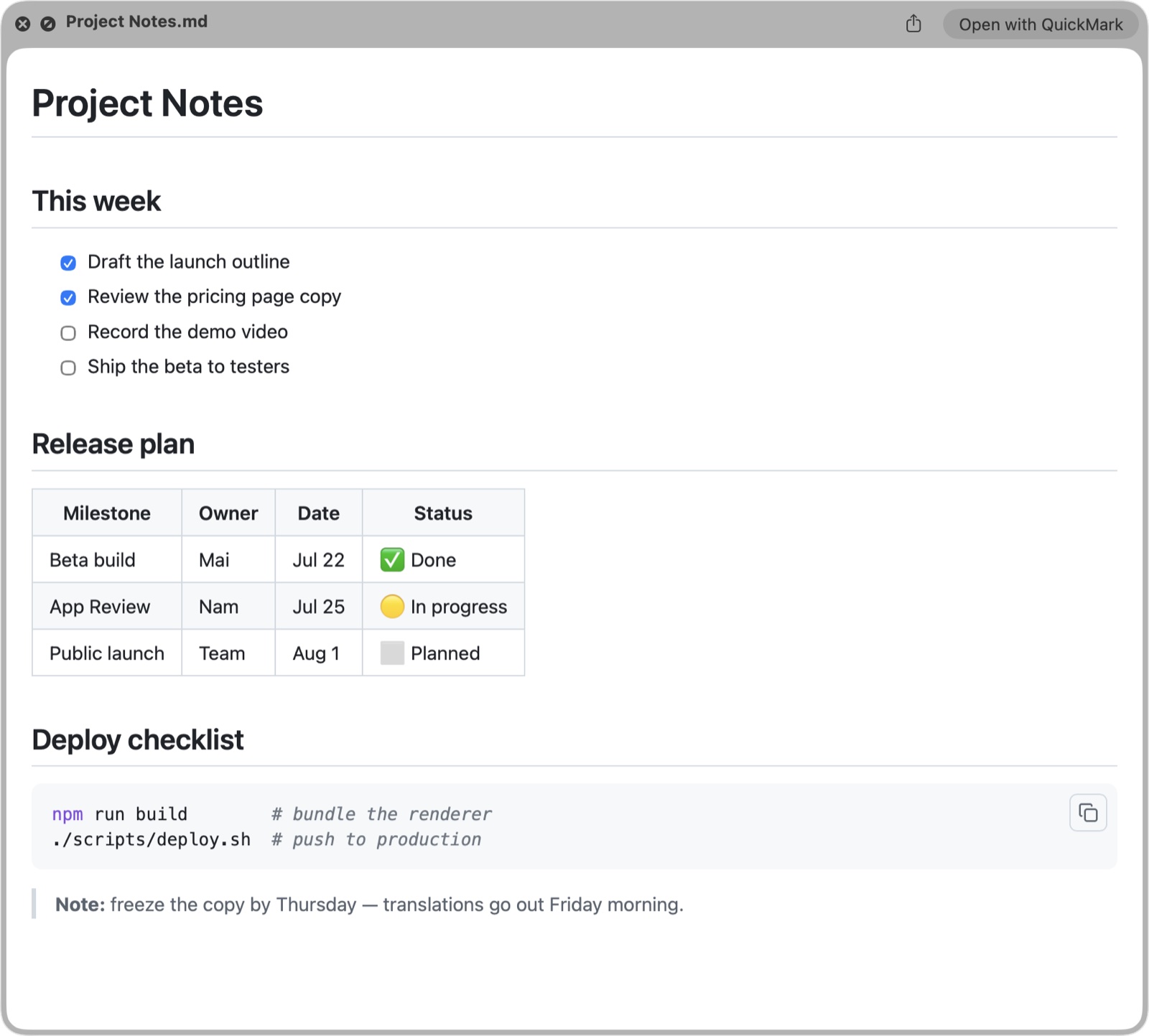
.md file in Finder. No app window, just the rendered document.Math (KaTeX) and Mermaid diagrams render built in, there are 36 code themes and 6 reading themes, and export covers PDF, HTML, Word, EPUB and PNG, plus copy as rich text on the Mac. The same app runs on iPhone and iPad with the same renderer.
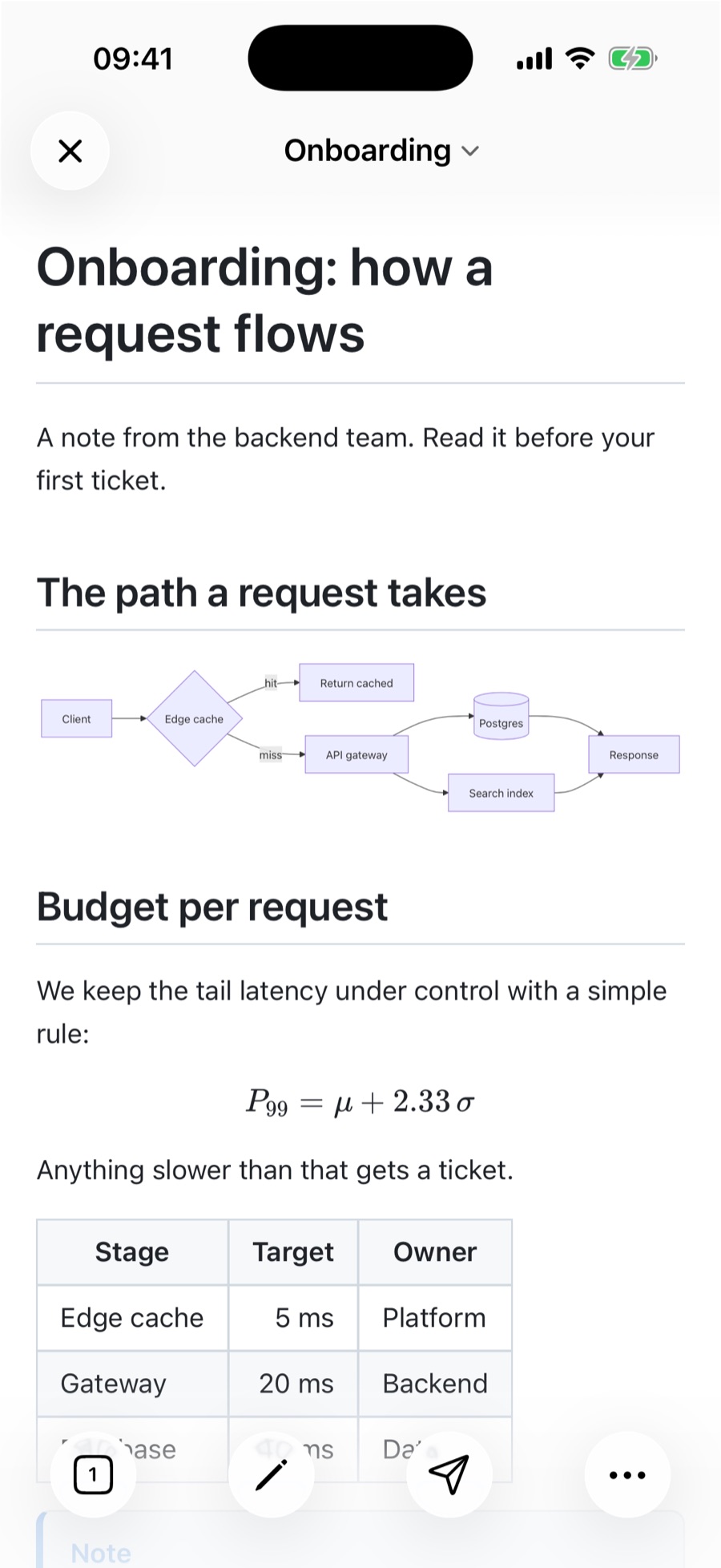
Where it's weaker, plainly: no plugins, and there won't be. No Windows, Linux or Android. No backlinks or graph; [[wiki links]] jump to a heading in the same file but don't open another note. Search covers the document you have open, not everything you've written. Closed source. And several Mac features don't exist on iPhone and iPad yet: Quick Look, the Folder Files sidebar, the outline sidebar and live reload when another app changes the file.
Side by side
| Edits | iPhone & iPad | Space in Finder | Math + Mermaid | Open source | |
|---|---|---|---|---|---|
| Obsidian | Yes | Yes | Not listed on their site | Yes | No |
| Typora | Yes, inline | No | Not listed on their site | Yes | No |
| iA Writer | Yes | Yes (separate purchase) | Not listed on their site | Not compared here | No |
| Marked 3 | No, previews only | No | Not listed on their site | Not compared here | No |
| MarkEdit | Yes | No | Via preview extension | Via preview extension | Yes (MIT) |
| VS Code | Yes | No | Not listed on their site | Yes, built in | Core only (Code - OSS, MIT) |
| QuickMark | Yes | Yes, same app | Built in | Yes, built in | No |
"Not compared here" means I didn't verify it for this post, not that the app lacks it.
Pick in ten seconds
- You want a second brain with links and plugins → Obsidian.
- Any Windows or Linux in your week, or you love inline rendering → Typora.
- You write long pieces and want nothing else on screen → iA Writer.
- You'd never leave your current editor → Marked.
- Open source is non-negotiable → MarkEdit.
- You live in a code editor → VS Code.
- You read as much Markdown as you write, and want it on your phone too → QuickMark.
Combinations are normal. An Obsidian vault is just a folder of .md files, so its notes still preview with Space in Finder like any others. And because every app here saves plain text, switching later costs you nothing but a download. If you mainly want the Finder side, here's how to preview Markdown on a Mac.
Get rendered Markdown previews everywhere
QuickMark is a free, native Markdown app for Mac, iPhone and iPad. Live preview, export and publish built in.