
How to Write Math Equations in Markdown (KaTeX)
Wrap a formula in single dollar signs to put it in a sentence, or double dollar signs to give it a line of its own. $E = mc^2$ and $$E = mc^2$$. That is the whole surface area of the feature, and there is no menu item, no toolbar button and no setting for it anywhere in QuickMark. You type the syntax and the preview typesets it.
The interesting part is the edges: which other delimiters people expect and do not get, what happens to the dollar signs in a sentence about money, which LaTeX commands are actually available, and what survives when you export. Everything below was measured against the renderer while writing this post. The math engine is KaTeX 0.16.45, driven by the @vscode/markdown-it-katex plugin at 1.1.2.
The two delimiters that work
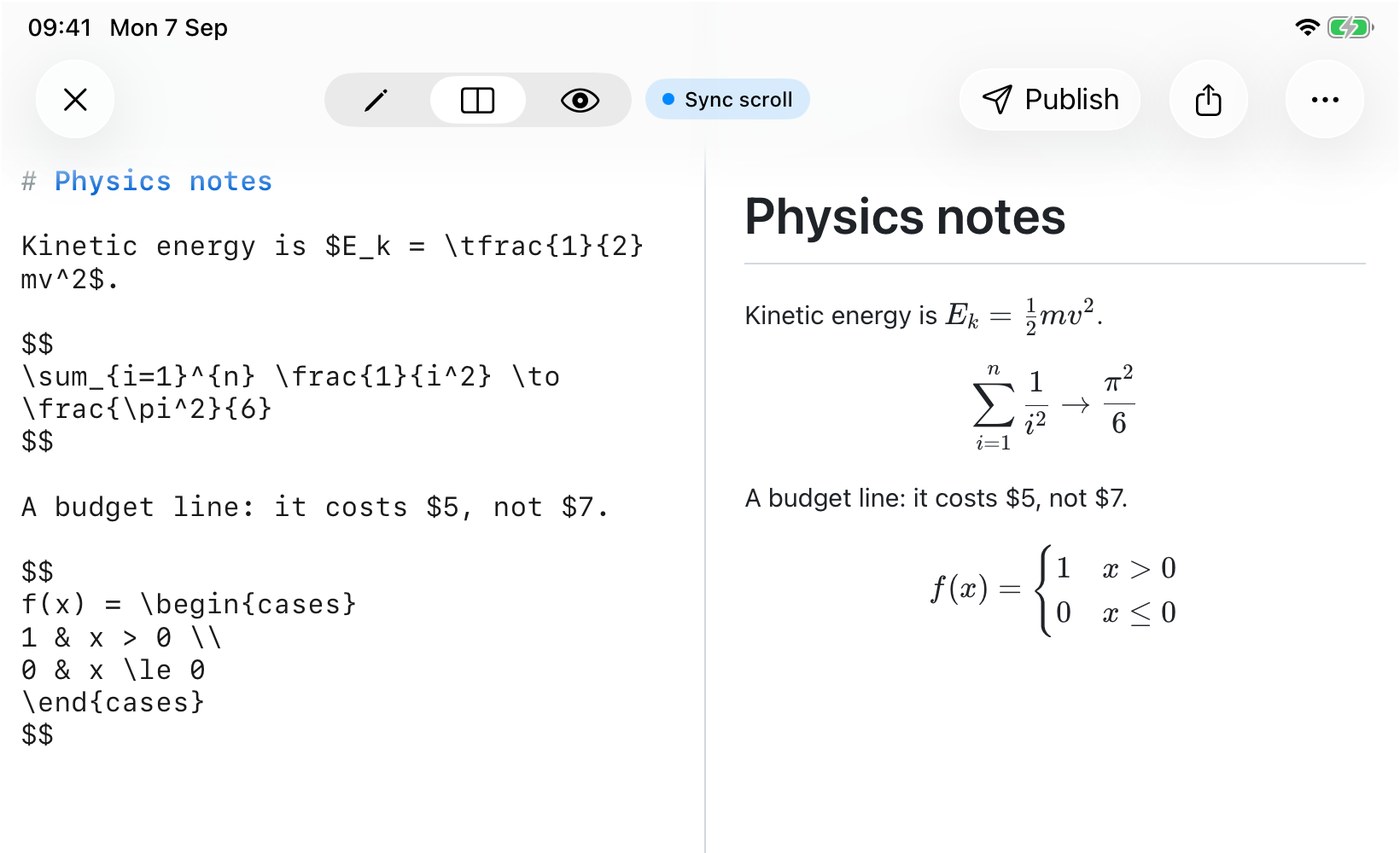
Single dollars give you inline math that sits on the text baseline. Double dollars give you a centred block on its own line, whether you put the formula on the same line or on the line between.
Kinetic energy is $E_k = \tfrac{1}{2}mv^2$.

$$
\sum_{i=1}^{n} \frac{1}{i^2} \to \frac{\pi^2}{6}
$$The first formula inline in the sentence, at text size. The second centred on its own line, at display size, with the limits above and below the sigma instead of beside it.
If you have written LaTeX before you will reach for \(…\) and \[…\] next. Those are the delimiters TeX itself prefers, and Pandoc accepts them. QuickMark does not. I checked both: \(E = mc^2\) comes out as the literal text (E = mc^2), with the backslashes eaten and nothing typeset. \[…\] keeps the square brackets and leaves the formula as plain text. No warning, no red, just prose where you wanted an equation. If you are pasting notes in from a LaTeX document, that is the first thing to convert.
Dollar signs in a sentence about money
The obvious worry with a dollar-sign syntax is a paragraph that mentions two prices. I tested it, and in the normal case you are fine:
| You write | What happens |
|---|---|
It costs $5 and $7 today. | Stays text |
Pay $5 now, $10 later. | Stays text |
It costs $5 and $x today. | Stays text |
From $5 to $ 7. | Becomes math |
$5 apples$ | Becomes math |
The rule behind that table is short enough to remember. A dollar sign can only close a formula if the next character is a space, punctuation, or the end of the line. A dollar sign glued to a letter or a digit cannot close anything. So $7 is unable to end the formula that $5 started, and the whole sentence stays prose. Put one space after the dollar sign, write $ 7, and it can close, so the middle of your sentence turns into italic math.
Two practical consequences. Prices are safe as long as you never separate the sign from the number, which is how anyone writes prices anyway. And if you do get bitten, \$ is the escape and it produces a plain dollar sign every time.
Fenced code blocks and inline backticks are also immune. `$x^2$` stays as source, which is what you want when the thing you are documenting is the syntax itself.
What KaTeX gives you here
All of the following rendered correctly on the first try. I am listing the ones people actually ask about rather than reprinting the KaTeX manual:
- Fractions, roots, sub- and superscripts, Greek, operators, big delimiters.
- Environments:
matrix,pmatrix,array,cases,align,equation. - Equation numbers.
alignandequationnumber their rows automatically, and\tag{1}sets a number by hand. \text{…}for words inside a formula, so\text{speed} = \frac{d}{t}reads properly.- Your own shorthands.
\newcommand{\myset}{\mathbb{Q}}thenx \in \mysetworks, and so does the older\def. \href{https://…}{link}puts a real link inside an equation.- Math in a heading, in a list item, in a table cell and in a blockquote. All four render.
Every equation also carries a MathML copy in the markup alongside the visual one, which is what a screen reader reads instead of trying to describe a pile of spans.
What it does not give you, and how the failure looks
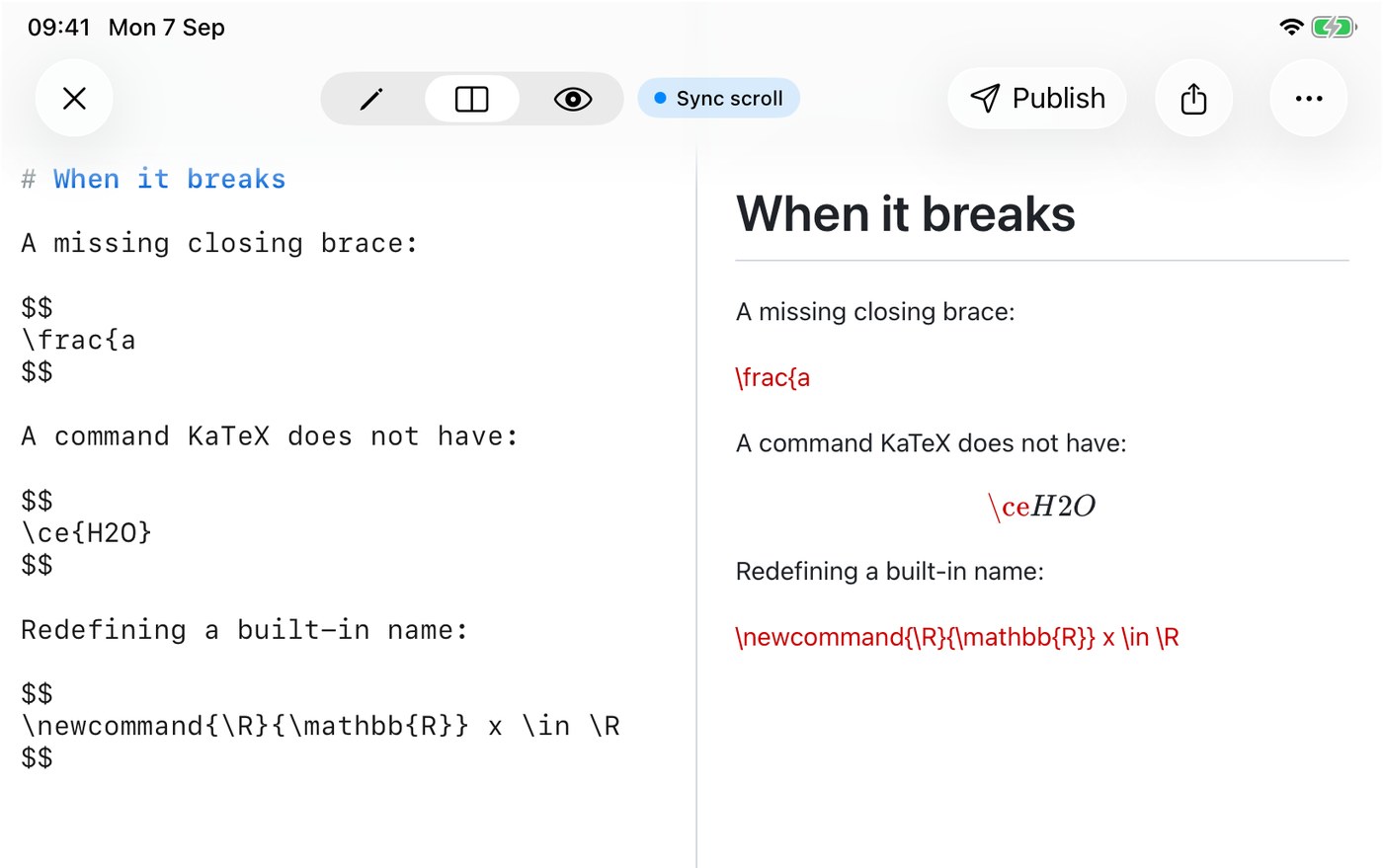
There are two distinct kinds of failure, and they look different on purpose.
A parse error is when the formula is not valid LaTeX at all, most often an unclosed brace. The whole formula is replaced by its own source in red, and the parser's message is attached to it, so on a Mac you can rest the pointer on the red text and read "Unexpected end of input in a macro argument, expected '}'".
An unsupported command is quieter. KaTeX typesets everything it recognises and prints the command name it did not recognise in red, in place. So \ce{H2O} comes out as a red \ce followed by a normally typeset H2O. The chemistry package mhchem is not loaded, and neither is anything that reaches outside the formula: \includegraphics prints in red the same way. Cross-referencing is also out, since \label and \eqref are not available, so equation numbers cannot be referenced from your prose.
One more sharp edge worth knowing before you spend ten minutes on it. \newcommand refuses to redefine a name KaTeX already defines, and it fails with a parse error rather than a warning. \newcommand{\R}{\mathbb{R}} is the classic case, because \R already exists. Pick a name of your own, or use \renewcommand.
Where the equations show up
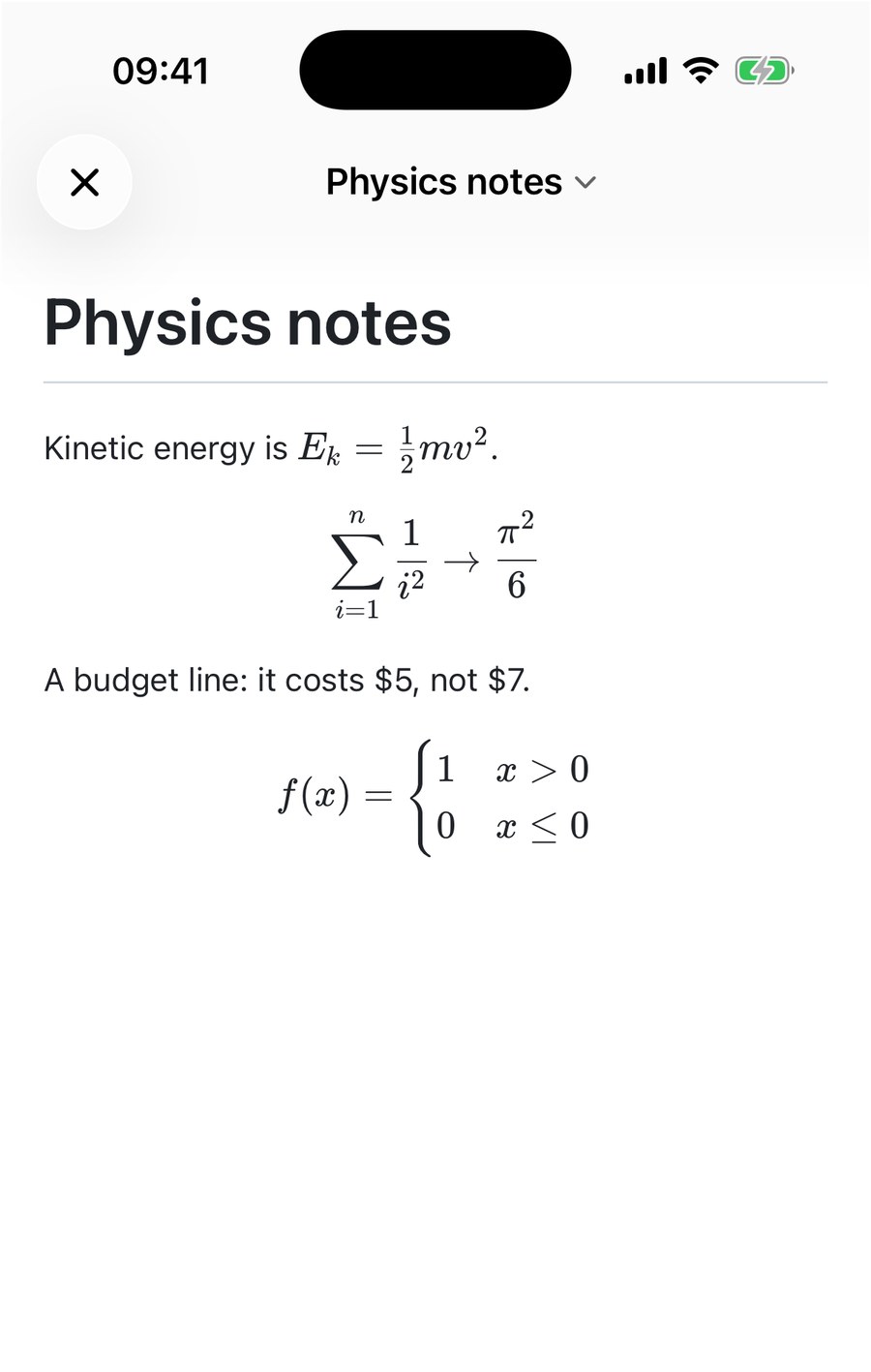
The math engine lives in the renderer, and every surface that renders Markdown uses that same renderer. So equations typeset in the Mac preview, in the iPhone preview, in the iPad split view, in the Quick Look panel when you press Space on a file in Finder, and in the free web preview at quickmarkmd.com/preview. There is nothing to switch on for any of them.
What survives an export
This is the part I would not have guessed, so I exported the same file every way it can be exported and looked at the results.
PDF keeps real math. The exported PDF embeds the KaTeX fonts it needs as subsets, four of them for the file above. The equations are typeset glyphs in the document, not a picture of them.
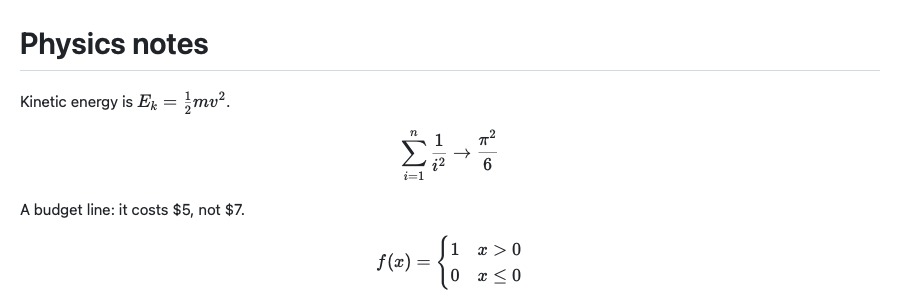
Word gets the source, not the math. The .docx export writes each formula out as its LaTeX source in a monospaced font, block formulas on a shaded line of their own. That is a deliberate choice in the converter rather than a bug: turning LaTeX into Word's own equation format is a separate piece of work that has not been done. If you need editable equations in Word, paste the LaTeX into Word's equation editor, which accepts it.
An exported HTML file needs its fonts. The export is a single self-contained .html file, and it inlines the whole KaTeX stylesheet, including twenty @font-face rules. Those rules point at relative paths like fonts/KaTeX_Main-Regular.woff2, and a single file has no fonts folder beside it. I confirmed the fetch fails. The equations still lay out and are still readable, but the letterforms fall back to whatever the browser has. The same applies to EPUB. If the look matters, export a PDF, or publish the file to the web instead: published pages are served the stylesheet and all sixty font files, which I checked against the live site.
Two numbers worth knowing if you care about file size. The KaTeX stylesheet is inlined into every HTML export whether the document has math in it or not, so an exported page starts at roughly 47 KB before any of your own content. I measured the physics note above at 57,578 bytes as HTML; the same note rewritten in words instead of formulas came out at 47,348. As PDF the gap is proportionally larger, 33,944 bytes against 12,344, because the font subsets go inside the file.
The short version
$…$inline,$$…$$for a block.\(…\)and\[…\]are not supported.- Prices are safe while the dollar sign touches the number.
\$escapes it if you need to be sure. - Environments, equation numbers and your own macros work. Chemistry, graphics and
\eqrefdo not. - Red text means KaTeX is telling you which command it could not read. It never fails silently.
- Export PDF if you want the equations to look the same somewhere else.

Get rendered Markdown previews everywhere
QuickMark is a free, native Markdown app for Mac, iPhone and iPad. Live preview, export and publish built in.