
How to Escape Special Characters in Markdown
To escape a special character in Markdown, put a backslash in front of it. \* shows a plain asterisk instead of starting italics, \# at the start of a line shows a hash instead of making a heading, and \| keeps a pipe inside a table cell. That works for every ASCII punctuation mark, and only for those: a backslash before a letter or a digit is shown as typed.
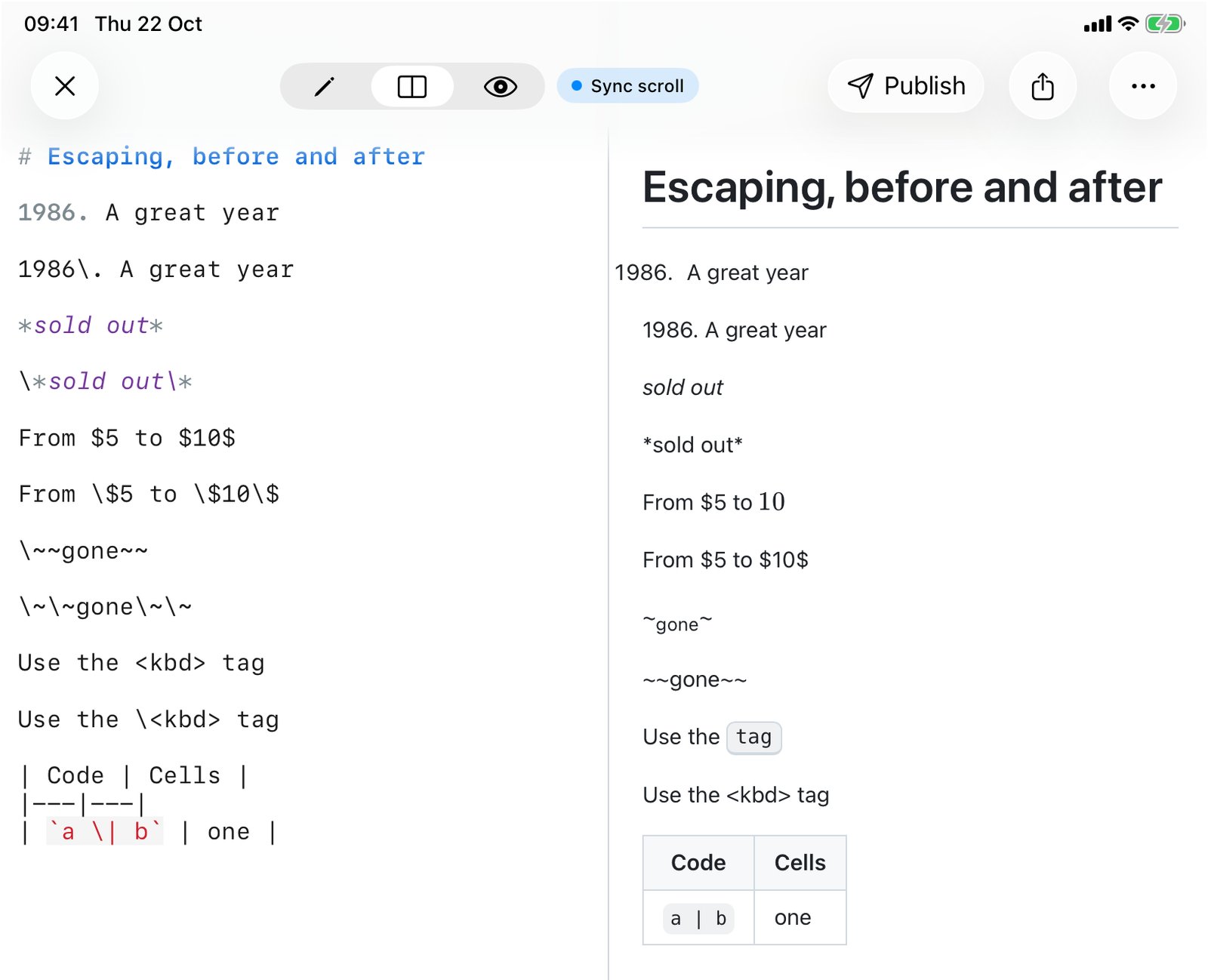
The rule fits in one sentence. The hard part is knowing when a character needs it, and the few places where one backslash isn't enough. So I ran 129 small cases through QuickMark's own renderer (markdown-it, the same code the app, Quick Look and published pages use) and sent the tricky ones through GitHub's Markdown API as well. Everything below is what came out, not what the spec suggests should.
The basic move
*sold out*

\*sold out\*

\# Not a heading

C:\Users\maisold out
*sold out*
# Not a heading
C:\Users\mai
The last line is the reassuring one. \U and \m aren't escapes (U and m are letters), so the backslashes stay. You don't have to double every backslash in a Windows path. You only need \\ when the backslash sits right before punctuation and you want both to show.
Which characters can be escaped
The CommonMark spec allows a backslash before any ASCII punctuation character. In practice these are the ones that do something in Markdown, and so the ones you'll actually escape:
| Character | Why it gets eaten | Escape |
|---|---|---|
* _ | Italic and bold | \* \_ |
# | Heading, at the start of a line | \# |
- + | Bullet, at the start of a line | \- \+ |
. after a number | Numbered list | 1986\. |
> | Blockquote, at the start of a line | \> |
[ ] ! | Links and images | \[ \] \! |
` | Inline code | \` |
| | Table cell border | \| |
< | HTML tag | \< |
& | HTML entity like © | \& |
$ | Math, in apps that render it | \$ |
\ | The escape character itself | \\ |
Escaping something harmless is fine. \., \!, \%, \@ and \{\} all rendered as the bare character with the backslash removed, so when in doubt, escaping costs nothing.
Most characters only matter in one position
You rarely need an escape in the middle of a sentence. 2 * 3 * 4 rendered as plain arithmetic, snake_case_word kept its underscores, #hashtag and #1 fan stayed text (a heading needs a space after the hash), and a < b came out fine. Markdown is pickier about the start of a line, and that's where most surprises come from:
| Line starts with | What renders | Fix |
|---|---|---|
1986. A great year | A numbered list that starts at 1986 | 1986\. A great year |
# not a heading | An H1 | \# not a heading |
* note or - note | A bullet | \* note |
> reply | A blockquote | \> reply |
*** or --- | A horizontal rule | \*\*\* |
Text, then --- on the next line | The text becomes an H2 | Escape every dash (see below) |
| Four spaces of indent | A code block | Remove the indent |
The year one catches people writing timelines and changelogs. Nothing looks wrong in the editor. In the preview, "1986." is gone and the line has a list number in front of it.
When one backslash isn't enough
A backslash protects exactly one character. If the syntax is made of a run of characters, escaping only the first can leave a shorter run behind that still means something:
| You write | What renders | What works |
|---|---|---|
\~~gone~~ | A stray tilde, then "gone~" as subscript | \~\~gone\~\~ |
\--- | A hyphen followed by an en dash | \-\-\- |
a..\. | An ellipsis character plus a period | a\.\.\. |
The tilde case is QuickMark specific: the app also supports ~subscript~, so a single leftover tilde pair is still syntax. On GitHub, which has no subscript, \~~gone~~ simply shows the tildes. The safe habit is the same everywhere: escape every character of the run.
Pipes inside a table
A pipe is a cell border, even inside backticks. This surprised me more than anything else in the test run, so I checked GitHub too. Both split the cell:
| Code | Cells |
|---|---|
| `a | b` | one |

| Code | Cells |
|---|---|
| `a \| b` | one || Code | Cells |
|---|---|
| `a | b` |
| Code | Cells |
|---|---|
a | b | one |
In the first table the row lost its last cell, and the backticks show up as literal characters. With \| the code span stays whole and the backslash disappears, even though backslashes are normally kept inside code. Outside backticks, | works too. More table rules are in How to Make a Table in Markdown.
HTML tags you meant as text
Writing about HTML in Markdown is a classic trap. Use the <kbd> tag doesn't show the word "<kbd>": the renderer treats it as a real tag, the word disappears, and everything after it is drawn as a keyboard key (you can see "tag" in a key box in the iPad screenshot above). GitHub swallows it the same way. Three ways out:
Use the \<kbd> tagUse the <kbd> tag- Backticks, which is what you usually want anyway:
Use the `<kbd>` tag
One QuickMark detail: tags that could run code (<script>, <iframe>, event handlers) are never executed. The app shows them as plain text, so a pasted snippet can't do anything to you. Safe tags like <b>, <kbd> and <details> do render.
Dollar signs
Apps that render math (QuickMark, GitHub, Obsidian) use $…$ for formulas, which makes prices a worry. The measured behavior is friendlier than you'd expect: price $5 or $6.50 today stayed plain text, because a dollar sign followed by a digit can't close a formula. It goes wrong when a later dollar sign does close a pair:
from $5 to $10$rendered "10" as a formula.between $a$ and $brendered "a" as a formula.
\$ fixes both. If a note mixes money and math, escape the money. The full math rules are in How to Write Math Equations in Markdown.
Smart punctuation, and how to keep it straight
This part varies by app. QuickMark's renderer has smart punctuation turned on, so straight quotes become curly quotes, -- becomes an en dash, --- an em dash, ... a single ellipsis character, and (c), (tm) and (r) become the ©, ™ and ® symbols. GitHub's API left all of these exactly as typed when I sent the same text.
Usually that's what you want in prose. When it isn't (a command-line flag like --force, a quote that must stay straight), escape it: \-\-, \", it\'s and \(c) all came out exactly as typed. Inside backticks nothing is converted, so `--force` is the cleaner fix for flags.
The extras: highlight, subscript, emoji, wiki links
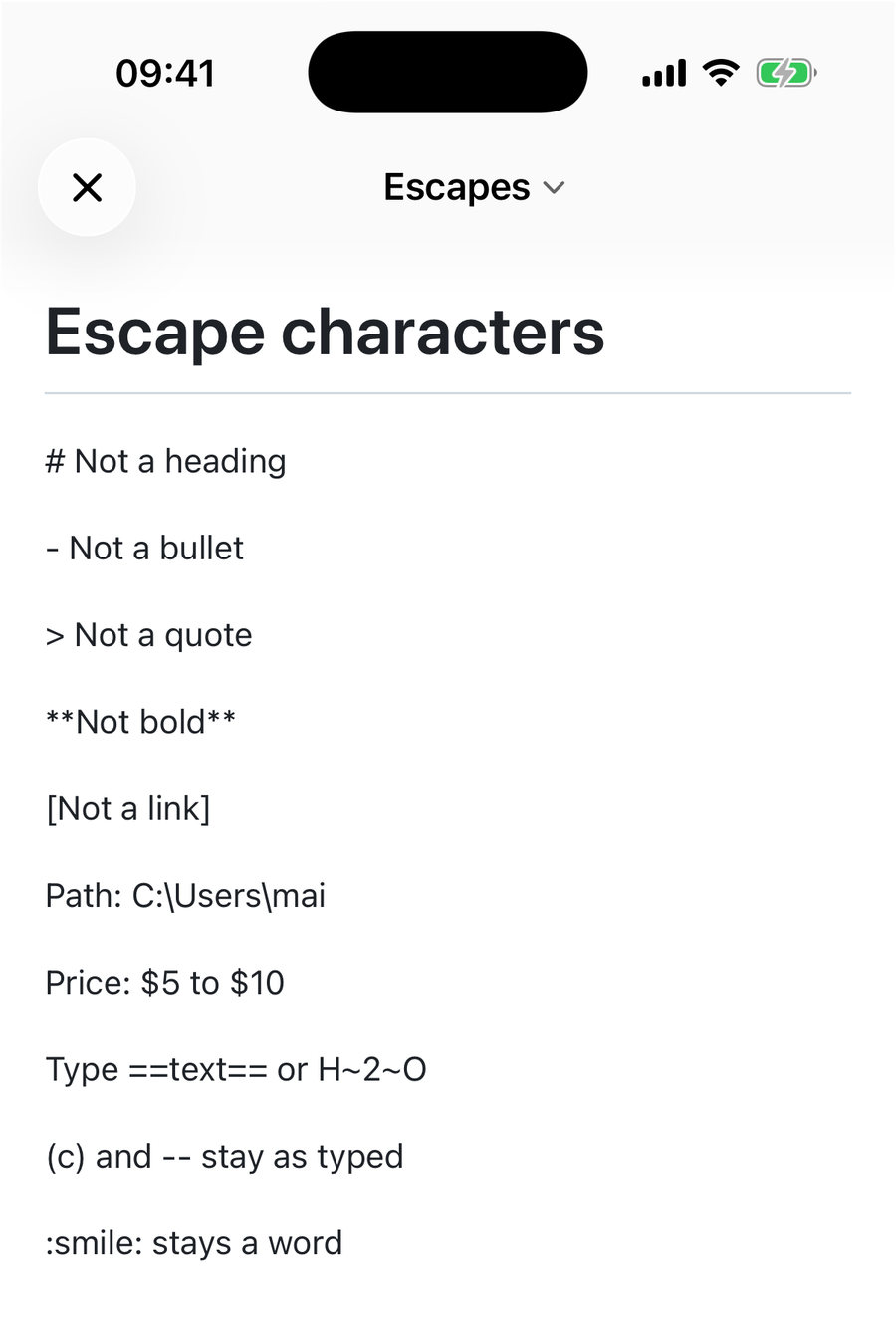
QuickMark supports a few things beyond basic Markdown, and each has an escape that only needs a backslash before the first character:
| Syntax | Renders as | Keep it as text |
|---|---|---|
==text== | Highlight | \==text== |
H~2~O | Subscript | H\~2~O |
x^2^ | Superscript | x\^2^ |
:smile: | An emoji | \:smile: |
[[Page]] | A wiki link | \[[Page]] |
[^1] | A footnote marker | \[^1] |
> [!NOTE] | A callout | > \[!NOTE] |
- [ ] task | A checkbox | - \[ ] task |
Two more things a backslash does
A backslash at the end of a line is a line break. word\ followed by a new line rendered a <br>, the same as ending the line with two spaces, and much easier to see. A backslash at the very end of a paragraph has nothing to break, so it just shows.
A backslash inside code does nothing. In `\*` or a fenced block, the backslash shows up as typed, because code is never parsed for Markdown. That's why the cleanest "escape" for anything technical is often backticks. The one exception is the table pipe above. More on code spans and fences in How to Write Code Blocks.
One link inside escaped brackets still works
\[not a link\](http://x.com) does stop the link syntax: the brackets show as text. But the URL in the parentheses is still a full web address, and QuickMark turns bare http:// and https:// addresses into links, so it becomes clickable on its own. If you want the whole thing inert, put it in backticks.
Quick reference
- Backslash before the punctuation:
\*,\#,\|,\$. - Runs of syntax: escape every character,
\~\~,\-\-\-. - Start of line is where escapes matter most: headings, bullets, quotes, and numbers like
1986. - Tags as text:
\<tag>or backticks. - Backslash before a letter stays visible, so paths need no extra work.
- Anything technical: backticks beat backslashes.
The Markdown cheat sheet has every syntax these escapes protect, and What Is GitHub Flavored Markdown covers the parts that differ between apps.

Get rendered Markdown previews everywhere
QuickMark is a free, native Markdown app for Mac, iPhone and iPad. Live preview, export and publish built in.