
How to Add Emoji in Markdown (Shortcodes That Actually Work)
To add an emoji in Markdown, either paste the character itself (🎉) or type its shortcode between colons, like :tada:. The pasted character works everywhere, because to Markdown it's just text. The shortcode form depends on the app: GitHub, QuickMark, Obsidian and most editors expand it, plain CommonMark does not. QuickMark recognizes 1,903 shortcodes, every one that GitHub maps to a real Unicode emoji, so a file that renders on GitHub renders the same in the app.
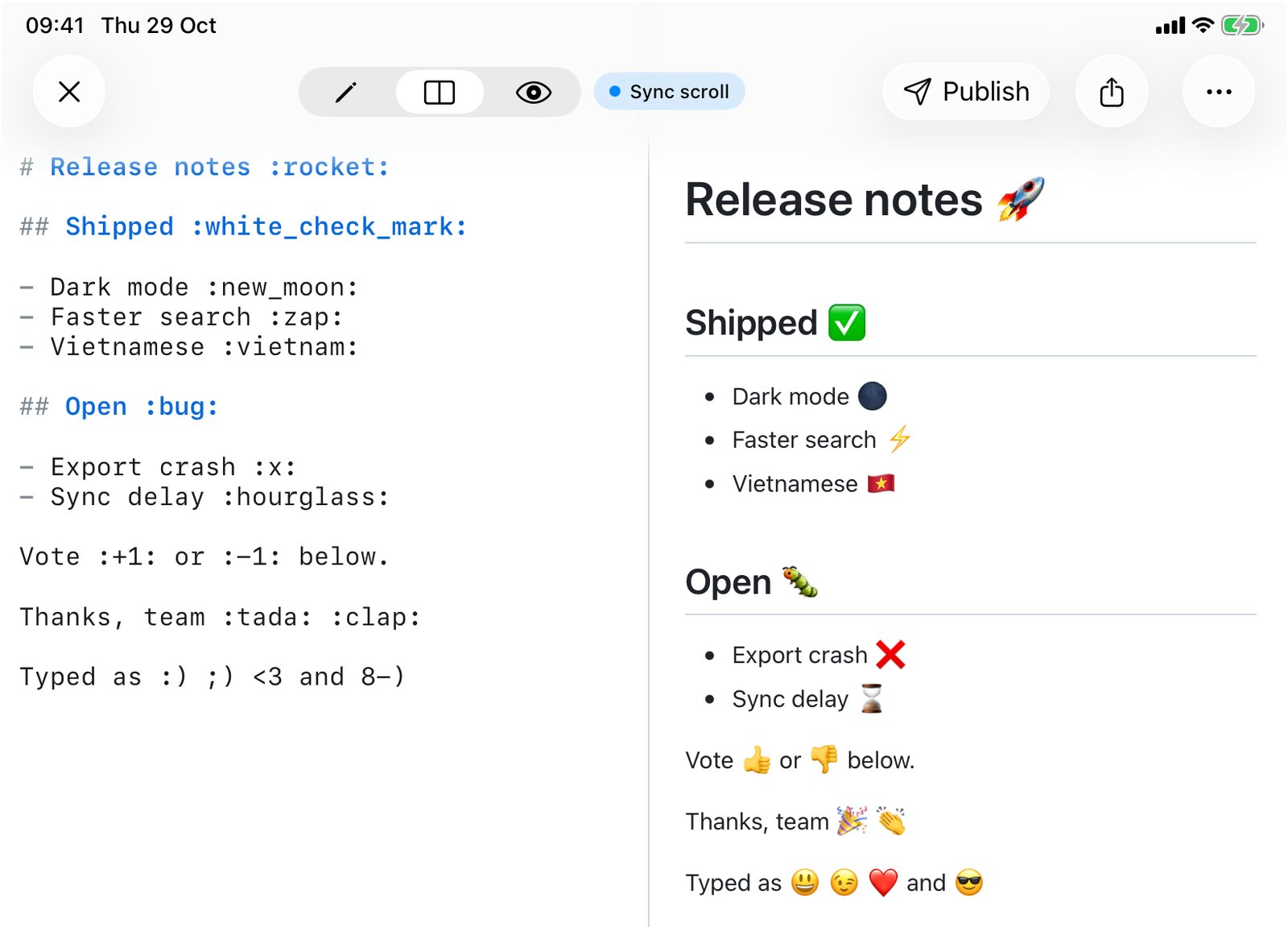
Everything below was checked by running the inputs through QuickMark's renderer (markdown-it with the markdown-it-emoji plugin, the same code behind the Mac app, Quick Look, the iPhone and iPad app and published pages), and through GitHub's Markdown API for comparison. Where the two behave differently, I say so.
The two ways to write it
Shipped :white_check_mark:

Vote :+1: or :-1:

Thanks, team 🎉 👏Shipped ✅
Vote 👍 or 👎
Thanks, team 🎉 👏
Paste the character when the file might be read in a tool you don't control: a terminal, a plain-text diff, an email body. The emoji is stored as Unicode in the .md file and survives anything that handles UTF-8. On a Mac, Control-Command-Space opens the emoji picker; on iPhone and iPad it's the globe or emoji key on the keyboard.
Type the shortcode when you want the source to stay readable and typeable. :white_check_mark: is easier to search for and edit than a glyph, and the names are the same ones GitHub uses, so muscle memory from pull requests carries over. The cost is that a renderer without emoji support shows the literal colons.
Which names work
The names come from GitHub's emoji list (the gemoji set). I compared QuickMark's table against the list GitHub serves at api.github.com/emojis on the day of writing:
| Shortcodes | |
|---|---|
| GitHub | 1,936 |
| QuickMark | 1,903 |
| In QuickMark but not on GitHub | 0 |
| On GitHub but not in QuickMark | 33 |
The 33 missing ones are not Unicode emoji. Twenty-three are GitHub's own images, :octocat:, :shipit:, :trollface:, :dependabot: and friends, which GitHub renders as a PNG from its servers. The other ten are Japanese button symbols filed under names like :u5272:. In QuickMark all 33 stay as literal text. If you rely on :octocat: in a README, know that it only exists on github.com.
Some names you will use a lot:
| Shortcode | Emoji | Shortcode | Emoji |
|---|---|---|---|
:tada: | 🎉 | :warning: | ⚠️ |
:rocket: | 🚀 | :bug: | 🐛 |
:white_check_mark: | ✅ | :x: | ❌ |
:+1: or :thumbsup: | 👍 | :-1: or :thumbsdown: | 👎 |
:sparkles: | ✨ | :fire: | 🔥 |
:eyes: | 👀 | :thinking: | 🤔 |
:bulb: | 💡 | :memo: | 📝 |
:vietnam: | 🇻🇳 | :fr: | 🇫🇷 |
Flags use the country name (:vietnam:, :japan:) or, for a few, the two-letter code (:fr:, :us:, :gb:). When you're not sure of a name, GitHub's emoji cheat sheet is the reference, since the list is the same.
Rules I tested
- Names are case-sensitive.
:TADA:stays as typed. Same on GitHub. - Unknown names stay literal.
:not_a_real_code:renders as the text you typed, colons included. Same on GitHub. - Code is left alone.
`:tada:`in backticks and anything inside a fenced block keep the colons. Same on GitHub. - Shortcodes work inside headings, links, tables, task lists and quotes.
## :warning: Cautiongives a heading starting with ⚠️, and- [x] ship :ship:gives a checked item with 🚢. - No skin tones.
:+1::skin-tone-2:gives 👍 followed by the literal:skin-tone-2:. GitHub does the same. Paste the toned character if you need it. - Ordinary colons are safe.
9:41,3:4,C:\Usersand a sentence with a colon: nothing changes. The one to watch is:a:and:b:, which are real names (🅰️, 🅱️). - Heading links drop the emoji.
# Launch day :rocket:gets the idlaunch-day, so[jump](#launch-day)works.
Where QuickMark and GitHub differ
Three cases came out differently, and two of them can surprise you.
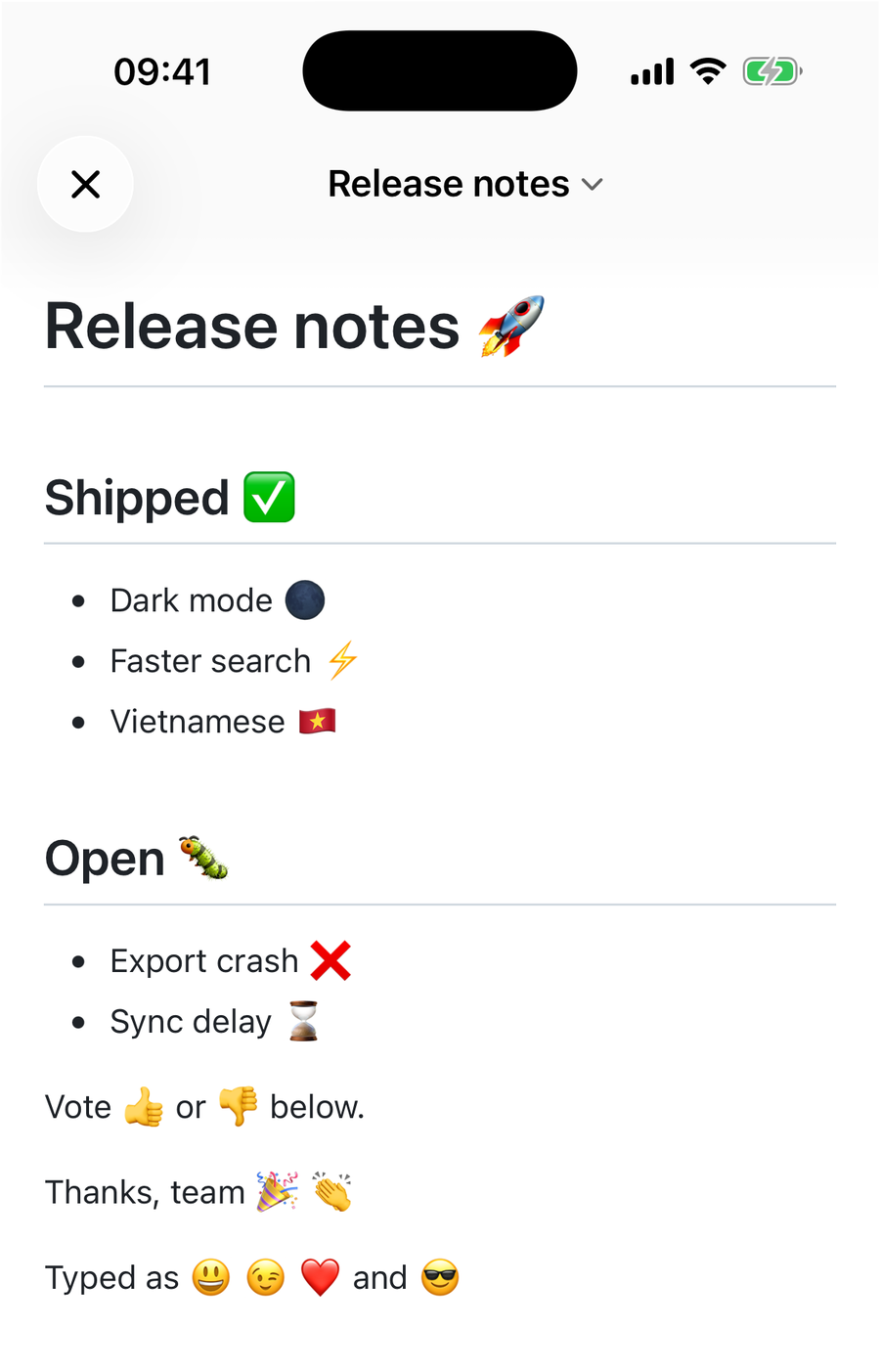
:) ;) <3 and 8-). QuickMark turns text emoticons into emoji; GitHub leaves them as typed. iPhone 17 Pro simulator.Text emoticons become emoji. QuickMark's emoji plugin also recognizes 25 classic emoticons: :), :-), ;), :D, :P, :(, :/, 8-), <3 and so on. happy :) and <3 renders as "happy 😃 and ❤️". GitHub keeps the characters. If you write :/ at the end of a sentence you'll get 😕 in the preview; a URL like http://example.com is not affected, I checked, because the match needs a space or line boundary on both sides. To keep an emoticon as text, put it in backticks or escape the first character: \:).
A backslash disables a shortcode. \:tada: renders as the literal :tada: in QuickMark. On GitHub the backslash is ignored and you still get 🎉, so if you're documenting shortcodes themselves, backticks are the portable choice. More on escaping in How to Escape Special Characters in Markdown.
Shortcodes inside a word. x:tada:y becomes x🎉y in QuickMark. GitHub only expands a shortcode that stands on its own, so there it stays as text. Rarely matters, but it's the third difference and I said I'd list them.
One thing QuickMark doesn't do yet
The outline sidebar on the Mac lists headings from the source text, not from the rendered page, and it doesn't expand shortcodes. A heading written as # Launch day :rocket: shows 🚀 in the preview but :rocket: in the outline. If the outline matters to you, paste the character into headings instead of using the shortcode. (The outline is Mac-only; on iPhone and iPad this doesn't come up.)
Where the emoji show up
Shortcodes expand in every place QuickMark renders Markdown: the preview on Mac, iPhone and iPad, Quick Look on the Mac (press Space on a .md file in Finder), pages you publish to the web, and the free online preview. Exports that go through the web renderer (PDF, PNG, HTML) keep them as Unicode characters, drawn with the system's emoji font, so they look like Apple's emoji on Apple devices and like the reader's platform elsewhere.
Quick reference
| You want | Write |
|---|---|
| An emoji anywhere | Paste it: 🎉 |
| An emoji with readable source | :tada: (GitHub names, lowercase) |
A literal :tada: | `:tada:` (works on GitHub too) or \:tada: (QuickMark only) |
A literal smiley :) | `:)` or \:) |
| A status column in a table | :white_check_mark: / :x:, see tables |
If you're writing a checklist or a changelog, task lists and emoji go together well: - [x] Dark mode :new_moon: reads fine in the source and looks finished in the preview. For the rest of GitHub's extensions, see GitHub Flavored Markdown explained.

Get rendered Markdown previews everywhere
QuickMark is a free, native Markdown app for Mac, iPhone and iPad. Live preview, export and publish built in.