
Front Matter (YAML) in Markdown, Explained
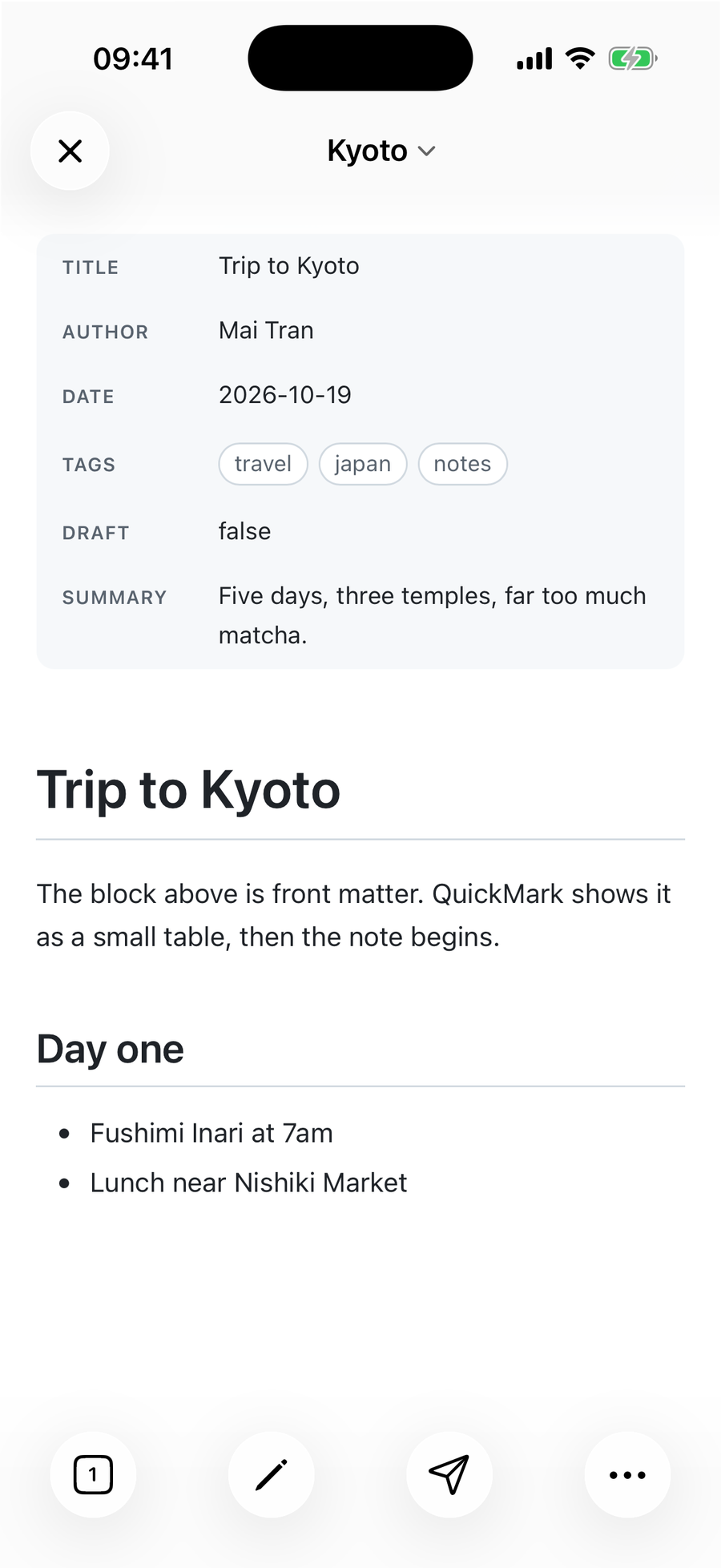
Front matter is a small block of YAML at the very top of a Markdown file, fenced by two lines of three dashes. It holds facts about the document (title, author, date, tags) rather than the document itself. Static site generators like Jekyll and Hugo read it to build pages, Obsidian shows it as Properties, and a Markdown viewer can turn it into a tidy table so it doesn't sit there as raw text.
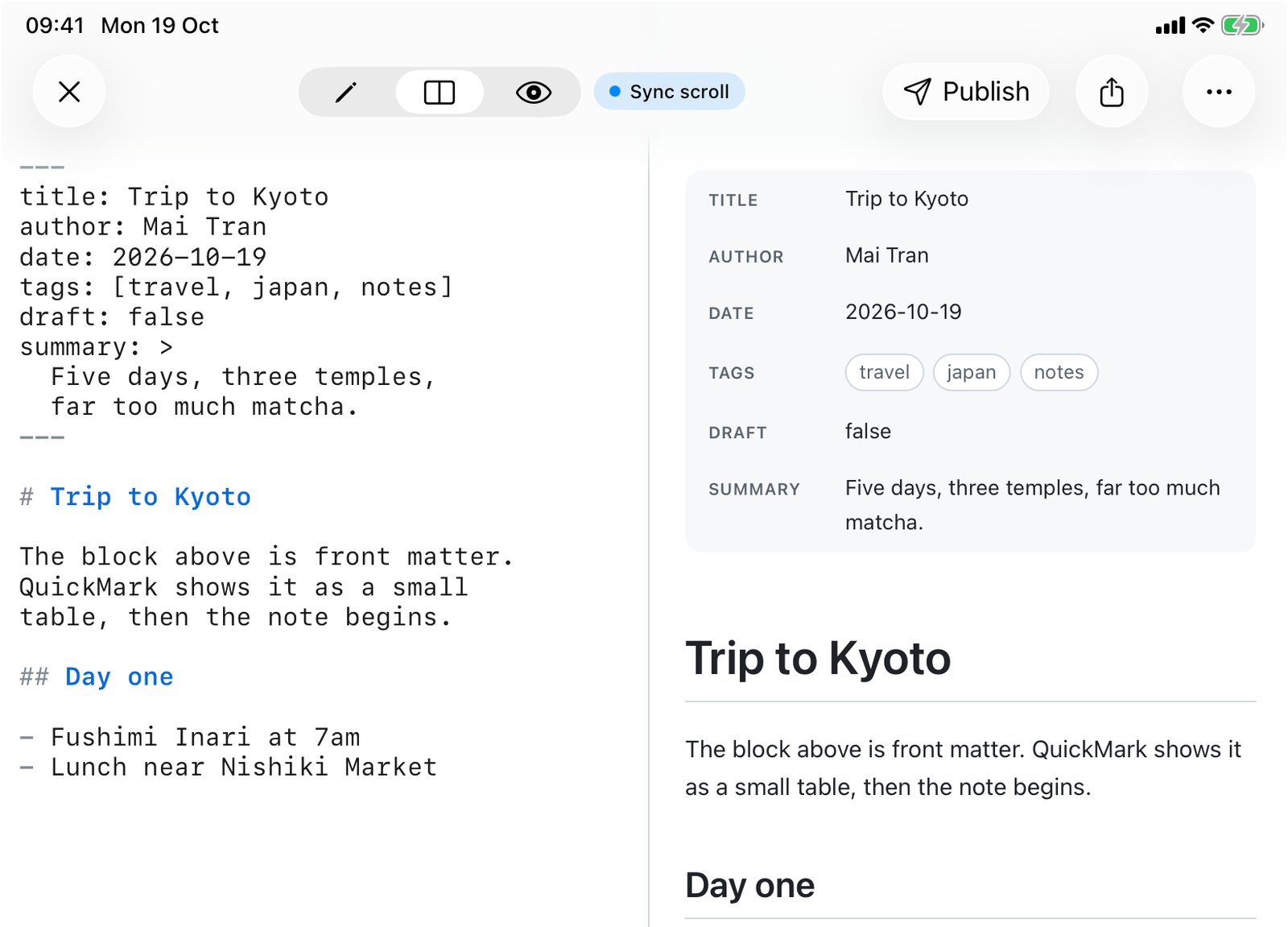
Most explanations stop at "put YAML between dashes". The rules that actually trip people up are about position and spacing, so I ran 22 front matter cases through QuickMark's own renderer and noted what came out. The tables below are that output.
What front matter looks like
---
title: Trip to Kyoto
author: Mai Tran
date: 2026-10-19
tags: [travel, japan]
---

# Trip to Kyoto

The note starts here.| title | Trip to Kyoto |
|---|---|
| author | Mai Tran |
| date | 2026-10-19 |
| tags | travel · japan |
Trip to Kyoto
The note starts here.
Each line is a key: value pair. The space after the colon is part of YAML, so write title: Kyoto, not title:Kyoto. Keys are yours to invent: nothing in Markdown itself gives title or tags a special meaning. The tool reading the file decides which keys it cares about.
The three rules that decide whether it works
- It must be the first thing in the file. Line one is
---. Not a blank line, not a comment, not a heading. Jekyll's documentation says the same: front matter "must be the first thing in the file". - Exactly three dashes.
---opens it.----(four) is just a horizontal rule. - It must be closed. A second
---line ends the block. YAML also allows...as the closing line, and QuickMark accepts it.
Break any of these and the block stops being front matter. It falls back to plain Markdown, and plain Markdown has its own opinion about a line of dashes under some text: it's a heading underline. Here is what I measured:
| The file starts with | What renders |
|---|---|
--- … --- | Metadata table |
--- … ... | Metadata table |
An empty line, then --- … --- | A horizontal rule, then your keys run together as one big heading |
---- (four dashes) | A horizontal rule, then a heading |
--- with no closing line | A horizontal rule, then your keys as ordinary text |
+++ … +++ (TOML) | Plain paragraph, plus signs included |
--- … --- further down the file | A horizontal rule and a heading. Only the top of the file counts |
The empty-line case is the one you'll actually hit. It happens when a template, a script or a paste leaves a stray newline at the top. You won't notice it in the editor; you will notice it in the preview:
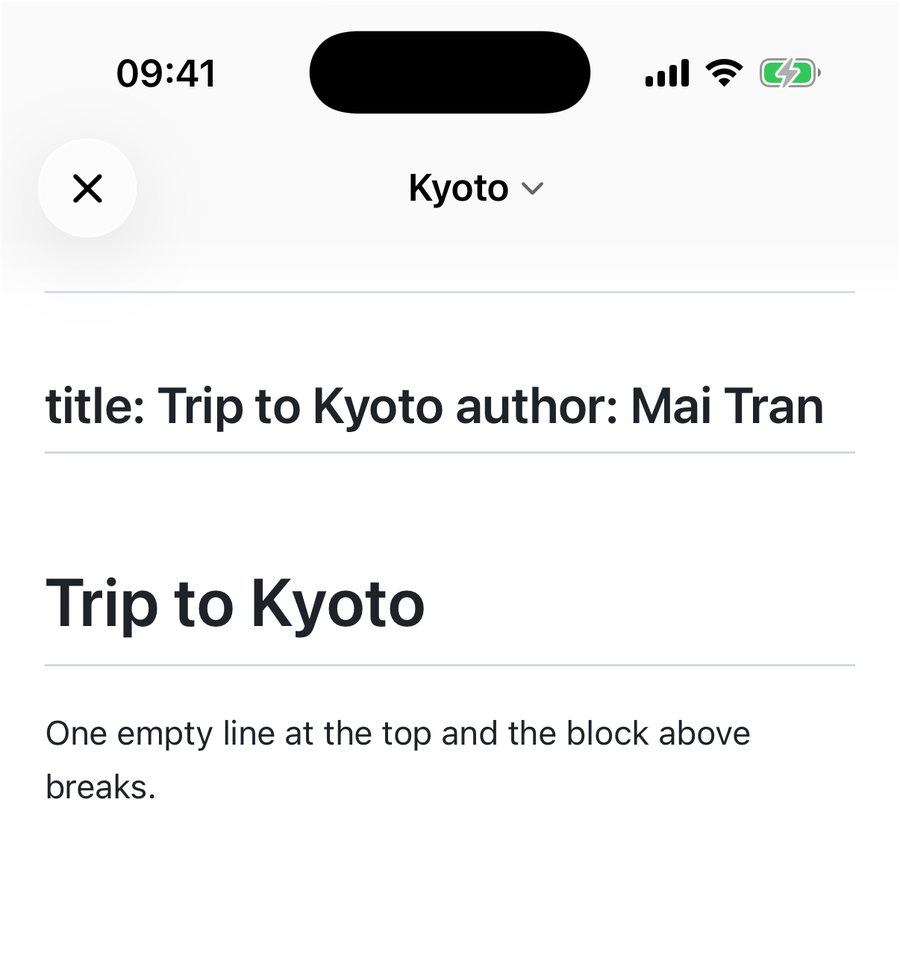
---. The dashes become a rule and a heading underline, and the keys turn into a heading. iPhone 17 Pro simulator.Why a heading? Because a line of text followed by --- is the "setext" way of writing an H2, an old Markdown syntax most people never use on purpose. I covered it in the headings guide. Delete the empty line and the table comes back.
The YAML you'll actually use
YAML is a big language. Front matter uses a small corner of it. These are the shapes worth knowing, and how each one showed up in QuickMark's metadata table:
| You write | Shown as |
|---|---|
title: Trip to Kyoto | Plain text |
title: "Kyoto: day one" | Text without the quotes. Quote any value that contains a colon followed by a space, or starts with [, { or # |
tags: [travel, japan] | One pill per item |
tags: then - travel on the next lines | One pill per item, same as above |
author: then indented name: / email: | A small table inside the row |
summary: | then indented lines | Text with the line breaks kept |
summary: > then indented lines | The lines joined into one paragraph |
time: 12:30:00 or url: https://… | Kept whole. Only the first colon splits key from value |
draft: true # not ready | true. The comment after # is dropped |
Two things surprise people. First, values are not Markdown. title: "**Kyoto**" shows the asterisks in QuickMark's table, because the block is data, not text to format. Site generators treat it the same way unless a template formats the value on purpose. Second, indentation is spaces, consistently. A nested key needs more indentation than its parent; two spaces is the usual choice.
One honest limit: QuickMark's reader is built for showing front matter, not for checking it. It doesn't load a full YAML library (that would slow down every preview), so it shows values as you typed them: count: 007 stays 007, while a strict YAML parser in a site generator may read it as the number 7. If you need to know exactly what Jekyll or Hugo will make of a file, build the site and look.
Common keys and who reads them
No key is universal, but a few come up everywhere:
title: the page title in Jekyll and Hugo. QuickMark also uses it: when you publish a document as a web link, the page title comes fromtitle:, and falls back to the first#heading only when there's notitle.date: write it as2026-10-19(year-month-day). Site generators sort posts by it.tags: a list. Obsidian liststags,aliasesandcssclassesas its default properties.draft:trueorfalse. Hugo, for one, leaves draft pages out of a normal build.descriptionorsummary: the blurb a site uses in lists and search results.
How other tools handle it
| Tool | Front matter |
|---|---|
| Jekyll | YAML between --- lines, first thing in the file. Its docs also warn against a byte order mark (BOM) at the start of UTF-8 files, which is worth checking if a file from Windows misbehaves. |
| Hugo | YAML (---), TOML (+++) or JSON. Hugo picks the format from the delimiters. |
| Obsidian | Stored as YAML at the top of the note and edited through the Properties panel, with types like Text, List, Number, Checkbox, Date and Tags. Its help page says nested properties aren't supported in that panel; you see them in source mode. |
| QuickMark | YAML between --- lines, shown as a table at the top of the preview. Nested keys do render, as a sub-table. TOML +++ blocks are not recognized; they render as plain text. |
So if you write Hugo sites in TOML, QuickMark is the wrong tool for checking that block: you'll see the raw lines. Obsidian is the better choice if you want to edit properties through a form with typed fields; QuickMark only shows them, and you edit the YAML as text.
Front matter in QuickMark
- Shown by default as a compact table at the top of the preview on Mac, iPhone and iPad. Lists become pills, nested maps become a small table, and comments are left out.
- Turn it off with Settings ▸ Preview ▸ Show document metadata, on Mac and on iPhone/iPad. The switch is instant and doesn't touch the file; the YAML stays in your source.
- Published pages show the table too, and readers get their own Metadata: Show / Hide switch in the page's display options. The switch only appears when the page has front matter.
- A key QuickMark writes itself. Publishing adds a
publishedIdline to the front matter so the file stays linked to its web page when you move or copy it. That key is never shown in the table, in the app or on the published page. - Word export skips it. When you convert to .docx, the front matter block is left out and the document starts at your first real line.
For everything else that can go in a Markdown file, the cheat sheet has it on one page, and the README guide shows a full document from top to bottom.

Get rendered Markdown previews everywhere
QuickMark is a free, native Markdown app for Mac, iPhone and iPad. Live preview, export and publish built in.