QuickMark vs Obsidian: a vault, or just files?
Short answer: these aren't really competitors. Obsidian is a knowledge base: a vault of linked notes you live inside, with a graph, backlinks and thousands of plugins. QuickMark is a document app. You open a .md file, read or edit it, and close it. If you want a second brain, use Obsidian. If you want Markdown files to open and preview as easily as PDFs do, QuickMark is the smaller tool for that job.
Disclosure: I build QuickMark. Obsidian's core is free and genuinely excellent, and this post says so where it's true. I'd rather you pick the right tool than the one I made.
The real difference: a vault vs a file
Obsidian works on a vault: a folder you register with the app, which then indexes it, tracks links between notes, and gives you search, graph view and backlinks across the whole collection. That indexing is the point. It's what makes [[wiki links]], unlinked mentions and the graph possible.
QuickMark has no vault and no index. You open a file and it renders, whether it came from Finder, a cloned repo, a Downloads folder, or anywhere else. Nothing gets imported, nothing gets configured.
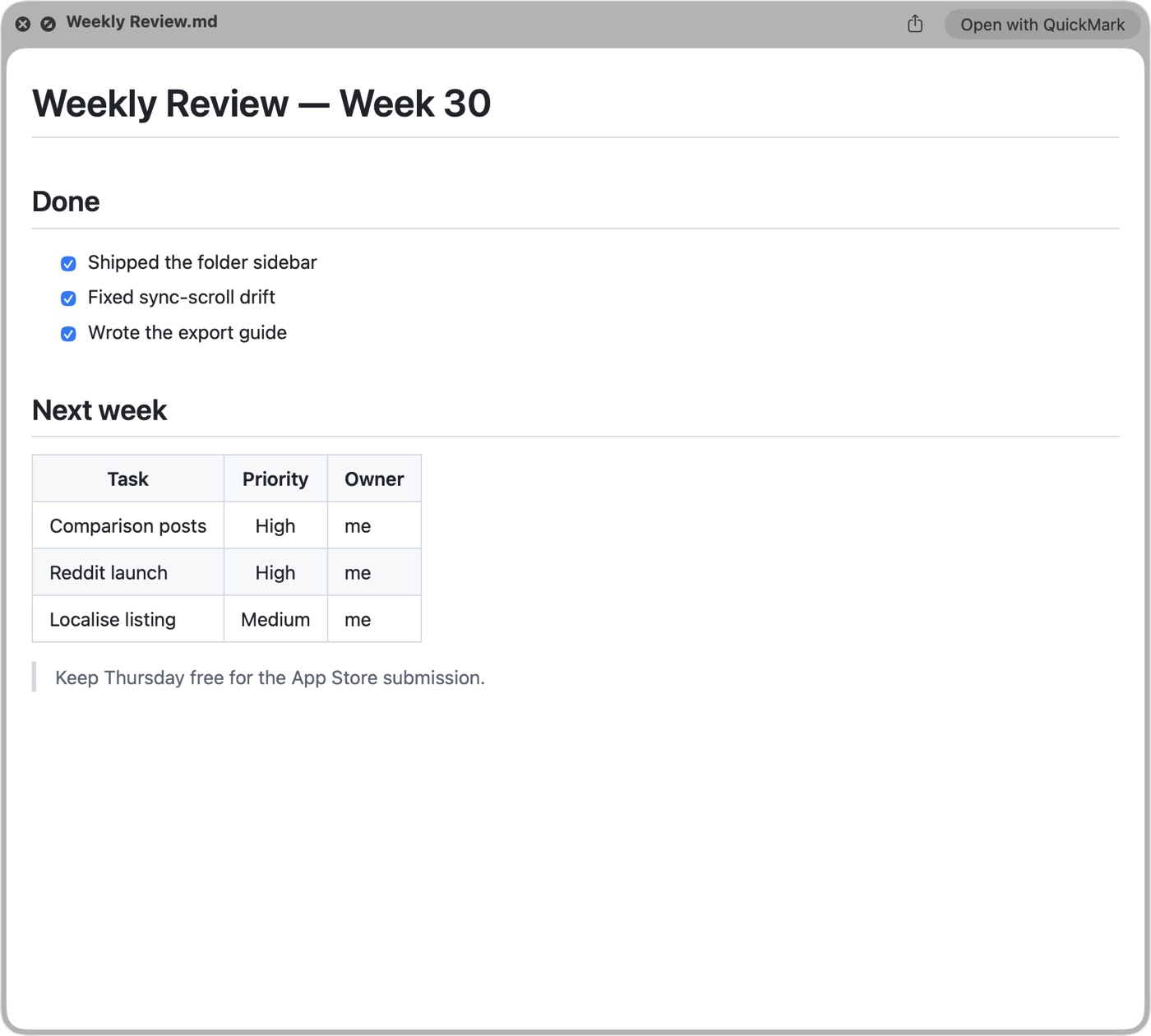
.md file, in any folder, previewed with the space bar. No vault to create, nothing to import first.That difference decides most of the rest. Below is where each one earns its keep.
Where Obsidian wins, and it's a lot
- Linked thinking. Backlinks, the graph, unlinked mentions, canvas. If your notes are a network rather than a pile of documents, nothing in QuickMark replaces this.
- Plugins. Thousands of community plugins: task management, spaced repetition, Kanban, Zotero, Dataview-style queries. QuickMark has none and won't.
- Everywhere. macOS, Windows, Linux, iOS and Android. QuickMark is Apple-only.
- Free, and unusually generously so. The whole core app is free, including for commercial use since early 2026. Paid extras (Sync, Publish, Catalyst) are optional conveniences, not gates.
- Vault-wide search and organisation: tags, properties, saved searches across thousands of notes. QuickMark searches the document you have open.
Where QuickMark wins
- Reading Markdown you didn't write. Press Space on any
.mdin Finder and it renders: a README in a repo you just cloned, a spec someone emailed, release notes in a Downloads folder. Obsidian can't preview a file that isn't in a vault, and adding a stranger's file to your vault to read it once is friction. More on the Quick Look side. - No ceremony. No vault to create, no index to build, no plugins to choose before you start. For a lot of people that's the entire appeal.
- Lightness. QuickMark is a native app that opens instantly. Obsidian is a bigger, Electron-based environment, a fair trade for what it does, but it isn't what you want for glancing at one file.
- Export built in. PDF, Word, HTML, EPUB, PNG and rich text without plugins. Here's the PDF path.
- Share one document as a link. One tap gives you a clean read-only page for a single file. Obsidian Publish is a different thing: a whole published site at $8 per site per month, and overkill if you just want to send someone one document.
Side by side
| QuickMark | Obsidian | |
|---|---|---|
| Model | Open individual files | Vault of linked notes |
| Platforms | macOS, iOS, iPadOS | macOS, Windows, Linux, iOS, Android |
| Preview in Finder (Space) | Yes | No |
| Backlinks / graph / canvas | No | Yes |
| Plugins | No | Thousands |
| Math & Mermaid diagrams | Yes | Yes |
| Export PDF / Word / EPUB / PNG | Built in | PDF built in; others via plugins |
| Share a single doc as a link | Yes | Via Obsidian Publish ($8/site/mo) |
| Core app cost | Free to read & write | Free, including commercial use |
They work fine together
This is the part most comparison posts skip. Both tools keep your notes as plain .md files on disk, so you don't have to choose. Plenty of people keep a vault in Obsidian for their own thinking, and still want Space in Finder to render the hundred Markdown files that live outside it: READMEs, docs, exported notes, things colleagues sent. Your Obsidian vault is just a folder; its files preview with Space like any others.
If you only take one thing from this: pick Obsidian if you want your notes to be a connected system. Pick QuickMark if you mostly want Markdown to stop looking like source code. Running both costs nothing but disk space.
Get rendered Markdown previews everywhere
QuickMark is a free, native Markdown app for Mac, iPhone and iPad. Live preview, export and publish built in.