Bold, Italic and Strikethrough in Markdown
Bold is two asterisks around the words: **like this**. Italic is one underscore or one asterisk: _like this_. Strikethrough is two tildes: ~~like this~~. That is the whole answer, and you can stop reading here if that is all you came for. The rest of this post is the part that actually costs people time: which of those markers break when they touch a word, the single character that turns a strikethrough into something else entirely, and what each style survives when the file leaves the app.
The five inline styles
Every row below was run through QuickMark's own renderer rather than copied from a spec. Two of them are not standard Markdown at all, which is worth knowing before you paste the file somewhere else.
**bold**
_italic_
***bold italic***
~~strikethrough~~
==highlight==italic
bold italic
highlight
Bold also accepts two underscores (__bold__) and italic also accepts one asterisk (*italic*). Both spellings produce identical output, so the choice is cosmetic. The next section is the reason it is not.
The underscore is the safer italic
This is the one rule worth memorising, and it is the reason QuickMark's own Format menu writes an underscore rather than an asterisk when you press ⌘I.
| You write | You get |
|---|---|
snake_case_word | The literal text snake_case_word. Untouched. |
snake*case*word | snake, then case in italics, then word. |
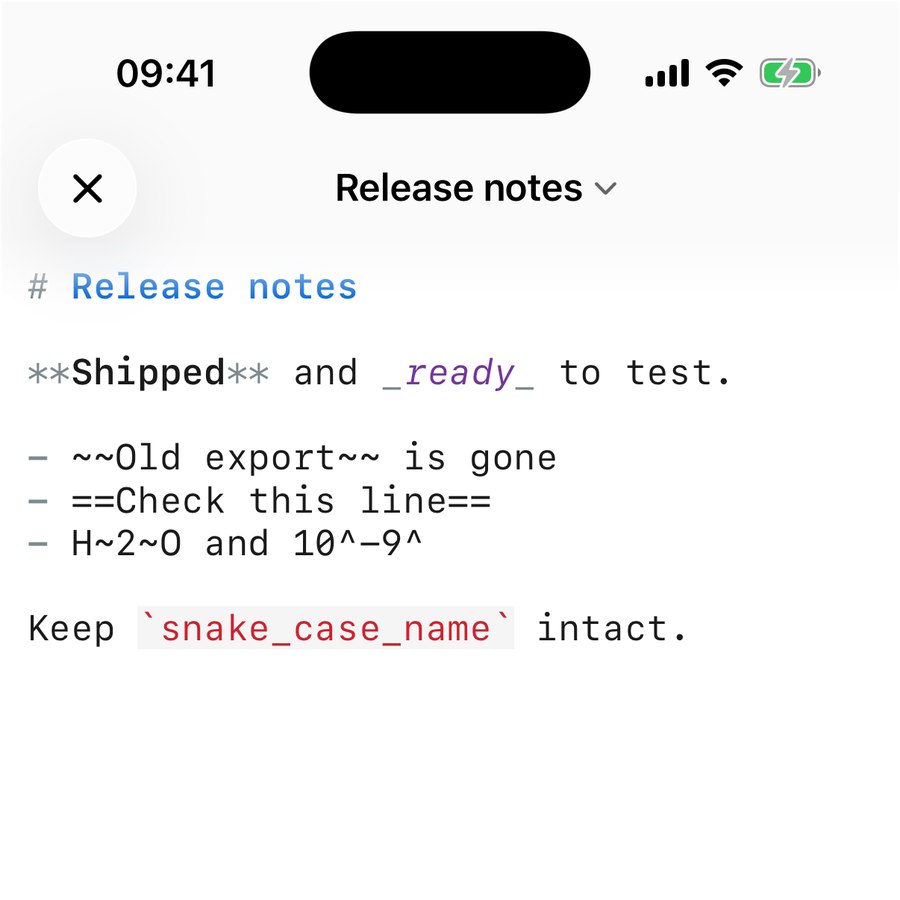
An underscore inside a word is ignored; an asterisk inside a word is not. If your document mentions file names, variable names or anything else with underscores in it, asterisk-italics will quietly eat a chunk of them. Wrapping the name in backticks (`snake_case_word`) protects it from every inline rule at once, which is what I did in the screenshot above.
Three ways to break a bold marker
Markdown is strict about where the markers sit. Each of these is a real result, not a guess:
| You write | You get |
|---|---|
** bold ** | Literal asterisks. A space after the opening marker cancels it. |
**unclosed | Literal asterisks. Nothing closed the pair. |
**acrossblank** | Two separate paragraphs, both showing their asterisks. Inline styles never cross a blank line. |
**multiline** | Genuinely bold. A single line break inside a paragraph is fine. |
The last row surprises people: bold spans a wrapped line perfectly well. It is the empty line, not the line break, that ends a paragraph and with it every open marker.
One tilde is not strikethrough
This is the trap I would have written the whole post for. Strikethrough needs exactly two tildes. QuickMark also supports subscript and superscript, and subscript uses a single tilde, so a typo does not fail loudly. It succeeds as something else.
| You write | You get |
|---|---|
~~gone~~ | |
~gone~ | gone, subscript. Small, dropped below the line, no line through it. |
~~~gone~~~ | An empty code block. Three tildes open a code fence. |
~~ gone ~~ | Literal tildes. Same spacing rule as bold. |
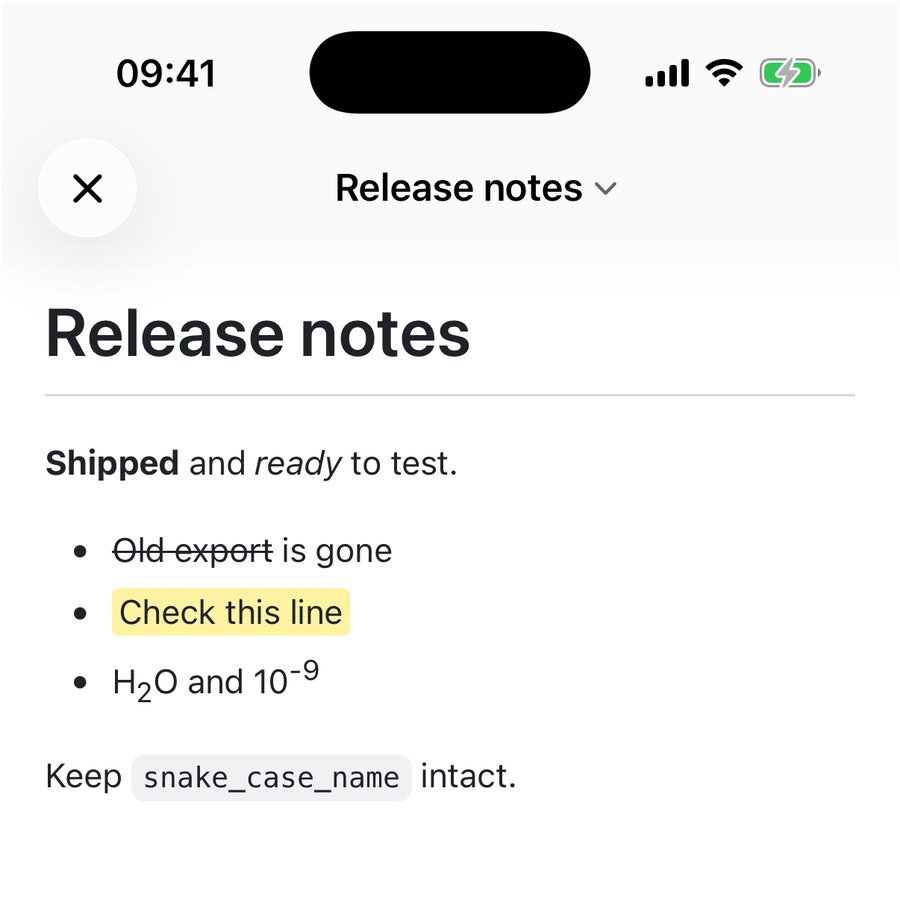
Subscript and superscript are the reason, and they earn their keep: H~2~O gives you H2O and 10^-9^ gives you 10-9, which beats fighting with an equation for a single formula in a paragraph. If you need real maths rather than a lone digit, KaTeX handles that separately.
Where the buttons are
You do not have to type the markers. On Mac the Format menu covers the common ones:
| Command | Shortcut | What it writes |
|---|---|---|
| Bold | ⌘B | **selection** |
| Italic | ⌘I | _selection_ |
| Code | ⌘` | `selection` |
| Link… | ⌘K | [selection](url), caret landing on url |
With nothing selected, each of these inserts the empty pair and puts the caret between the markers so you can keep typing. On iPhone and iPad the same commands sit on the bar above the keyboard, which also carries heading, lists, checklist and quote. The full Mac shortcut map has the rest.
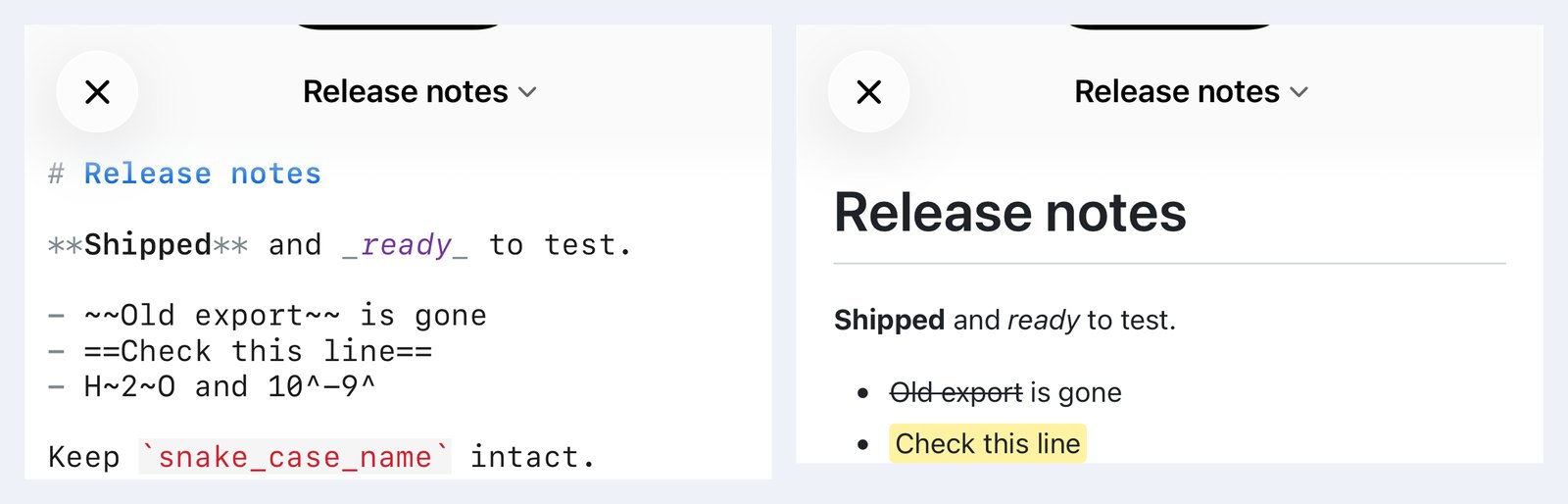
Two honest gaps. There is no button or shortcut for strikethrough, highlight, subscript or superscript on either platform, so those four you type by hand. And the editor's live syntax colouring only knows bold, italic, inline code, headings and links: in the screenshot below, **Shipped** and _ready_ are styled in place while ~~Old export~~ and ==Check this line== sit there as plain text. They render correctly the moment you switch to preview. The editor simply does not paint them.
What survives an export
Inline styles are the first thing to get flattened by a converter, so this is worth checking before you send a file to someone. QuickMark exports to six formats, and the answer differs:
| Format | Bold / italic | Strikethrough | Highlight, sub, sup |
|---|---|---|---|
| PDF, HTML, PNG, EPUB | Kept | Kept | Kept |
| Word (.docx) | Kept | Kept, as Word's own strike run | Kept: yellow shading, real sub/superscript runs |
| Copy as Rich Text | Kept | Kept | Kept |
The Word exporter is the interesting one: rather than screenshotting the preview it walks the same document structure the preview uses and emits native Word runs, so a struck-through phrase arrives in Word as a struck-through phrase you can edit, not as a picture of one. A highlight becomes Word shading in the same yellow.
Three habits worth keeping
- Use bold for the word someone will scan for, not for whole sentences. A paragraph in bold is a paragraph with no emphasis in it.
- Use underscores for italics and let
⌘Ido it. It is the spelling that cannot collide with a file name. - Count your tildes. One is subscript, two is strikethrough, three is a code fence. It is the only marker in Markdown where all three counts mean something different.
If you want the rest of the syntax on one page, the cheat sheet covers it, and headings are the other half of making a long file readable.
Get rendered Markdown previews everywhere
QuickMark is a free, native Markdown app for Mac, iPhone and iPad. Live preview, export and publish built in.